Xero Review 2026: Is Xero Worth It?
Disclosure: Some links in this article are affiliate links. If you click through and make a purchase, we may earn a commission at no extra cost to you. Learn more.
Affiliate disclosure: Some links in this review are affiliate links. If you sign up through them, we may earn a commission at no extra cost to you. Commissions do not affect our ratings or recommendations, and this review includes situations where we think you should choose a different product. Learn more.
Quick Verdict & Score: 4.2 / 5
Short answer: Xero is worth it for small businesses that want full double-entry accounting, strong bank reconciliation, and room for several people to work in the books without paying per user. It is a weaker fit if you need phone support, built-in US payroll at no extra cost, advanced inventory, or a very cheap plan with high invoice volume.
Xero is cloud accounting software built for small businesses and their accountants. Its biggest strengths are unlimited users on every plan, a large app marketplace, and a reconciliation workflow that becomes increasingly automated on the Growing plan and above. Its main drawbacks are a restrictive entry plan, online-only support, and a 2026 price increase that narrows its cost advantage over some rivals.
This review uses Xero's current US pricing (effective October 1, 2026) unless a section clearly says otherwise. UK and Australian plans are different products with different prices, and we cover those separately.
How We Reviewed Xero
This review is based on Xero's official pricing pages, product documentation, help center, security and investor materials, plus the published findings of independent reviewers and user feedback. Where a statement is Xero's own claim, we say so. Where it reflects independent user reports, we say that too. We did not include any feature, price or limit we could not verify against a current source. Prices were checked in October 2026 and can change, so confirm the final price on Xero's site before you buy.
Table of Contents
- What Changed at Xero in 2026
- Xero Review at a Glance
- What Is Xero?
- Xero Pricing in 2026
- Which Xero Plan Should You Choose?
- UK and Australian Pricing Differences
- Xero Features Review
- Is Xero Easy to Use?
- Xero Pros and Cons
- Who Is Xero Best For?
- Who Should Not Use Xero?
- Xero vs QuickBooks Online
- Xero vs FreshBooks
- Xero vs Zoho Books
- Xero Security and Data Protection
- Xero Customer Support & Cancellation
- Xero Integrations
- Is Xero Worth It in 2026?
- Final Xero Review Verdict
- Frequently Asked Questions
What Changed at Xero in 2026
Key 2026 Product & Pricing Updates
- Higher US prices: On October 1, 2026, Early rose from $25 to $27, Growing from $55 to $59, and Established from $90 to $97 per month.
- Built-in bill pay: Since March 2026, US customers can pay bills inside Xero, powered by Melio, which Xero acquired in 2025. Standard ACH bill payments are free on all US plans.
- Embedded US payroll: In August 2026, Xero launched Xero Payroll powered by Gusto, priced at $36 per month plus $6 per employee or contractor.
- More AI in reconciliation: Xero's AI assistant, JAX, can now auto-reconcile bank transactions on Growing and Established when it is confident about a match.
Note: Many reviews still ranking in search quote older prices, so double-check any figure you see elsewhere against the date it was published.
Xero Review at a Glance
| Category | Details (US) |
|---|---|
| Our rating | 4.2 / 5 |
| Best for | Small and growing businesses with multiple users, especially those working with an accountant |
| Starting price | $5.40/mo (80% off for first 3 mos) · $27/mo list thereafter |
| Free trial | 30 days / 1 month free (no credit card required) |
| Current promotion | 80% off first 3 months: Early ($5.40/mo), Growing ($11.80/mo), Established ($19.40/mo) |
| Users | Unlimited on all plans |
| Invoicing | Yes. Early capped at 20 invoices/quotes per month; unlimited on Growing & Established |
| Bills | Yes. Early capped at 5 bills per month; unlimited on Growing & Established |
| Bank reconciliation | All plans. Auto-reconcile included on Growing and up ($5/month add-on on Early) |
| Expense claims | Established plan ($97/mo) |
| Inventory | Basic tracking up to 4,000 items. Inventory Plus add-on for multichannel sellers |
| Payroll | Add-on via Gusto: $36/month + $6 per person |
| Multi-currency | Established plan, 160+ currencies |
| Mobile app | iOS and Android, included |
| Integrations | 1,000+ certified apps (per Xero App Store) |
| Support | 24/7 online support; ticket-based callbacks (no inbound phone line) |
What Is Xero?
Xero is online accounting software. It records your sales, expenses, bills and bank transactions, keeps a double-entry general ledger behind the scenes, and turns that data into reports such as profit and loss and the balance sheet.
The company was founded in New Zealand and is headquartered in Wellington. It is a public company listed on the Australian Securities Exchange (ASX: XRO). Xero reported 4.92 million customers for the fiscal year ended March 31, 2026. Its CEO is Sukhinder Singh Cassidy, and Melio co-founder Matan Bar now leads the combined Xero and Melio US business.
Xero's core audience is small businesses with anywhere from one to a few dozen people, along with the accountants and bookkeepers who serve them. Much of its growth has come through accounting firms, which is why its collaboration and advisor tools are strong. In the US, it competes mainly with QuickBooks Online, which has a larger local accountant base.
Xero Pricing in 2026
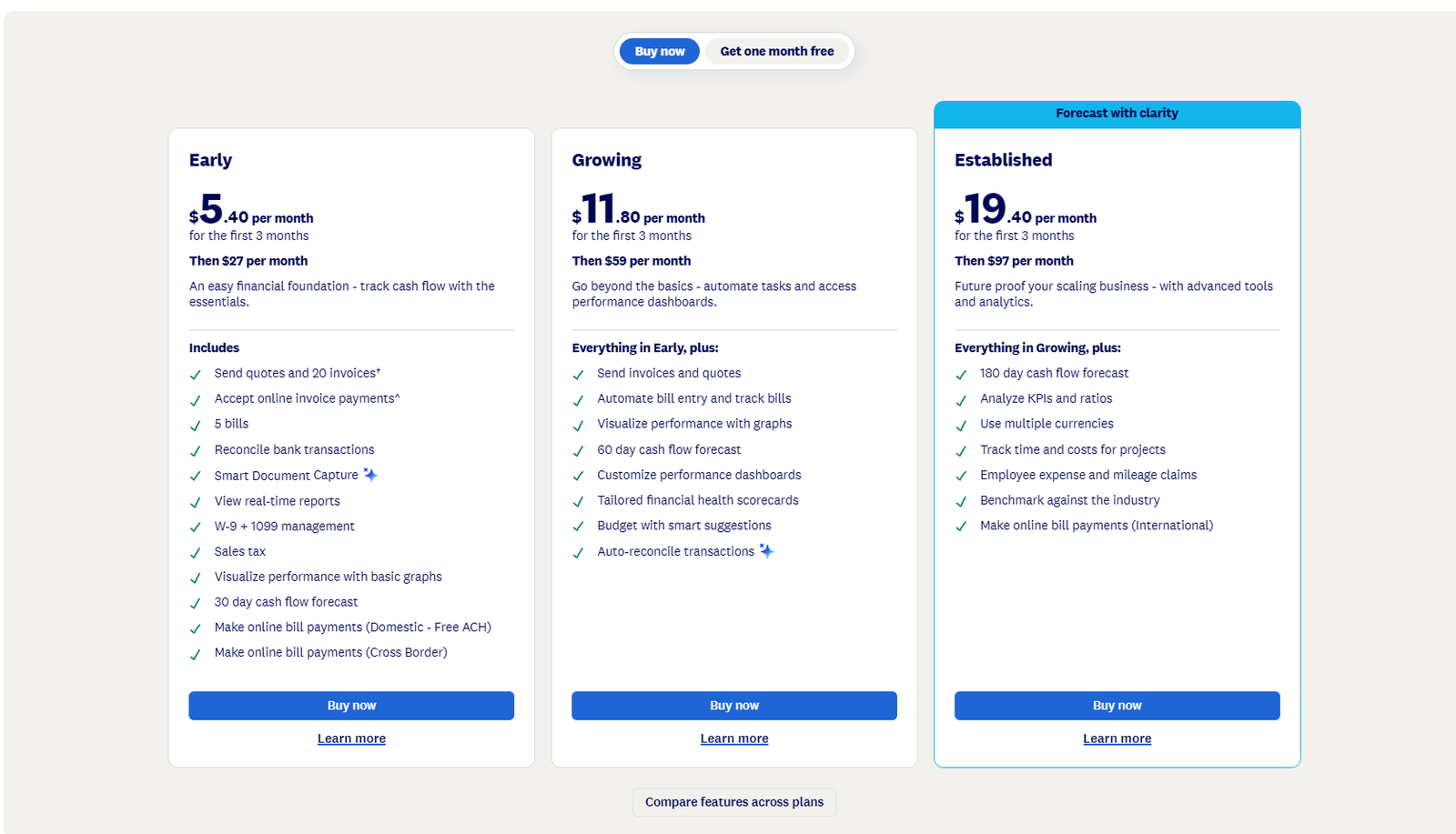
Xero structures its pricing into three primary tiers in the United States. Following the October 1, 2026 price increase, here are the current US list prices:
| Plan | Promo Price (First 3 Mos) | Standard List Price | Key Inclusions & Limits |
|---|---|---|---|
| Early | $5.40/mo | $27/mo | Send quotes & 20 invoices, accept online payments, 5 bills, bank reconciliation, Smart Document Capture, 30-day cash flow forecast, free ACH bill pay |
| Growing | $11.80/mo | $59/mo | Everything in Early plus: Unlimited invoices & bills, automated bill entry, performance graphs, 60-day cash flow forecast, customizable dashboards, smart budgets, auto-reconcile transactions (JAX AI) |
| Established | $19.40/mo | $97/mo | Everything in Growing plus: 180-day cash flow forecast, analyze KPIs & ratios, multi-currency (160+ currencies), track project time & costs, employee expense & mileage claims, industry benchmarking, international bill payments |
All US plans include unlimited users. That matters more than it sounds: you can give your bookkeeper, accountant, office manager and business partner their own logins without changing plans or incurring extra monthly fees.
Free Trial and Promotions
Xero currently gives new customers two onboarding options: Buy now with 80% off for the first 3 months, or Get one month free (30-day free trial without credit card).
Under the active 80% introductory discount:
- Early: $5.40 per month for the first 3 months, then $27 per month thereafter.
- Growing: $11.80 per month for the first 3 months, then $59 per month thereafter.
- Established: $19.40 per month for the first 3 months, then $97 per month thereafter.
Important note: The discount applies exclusively to the base software subscription and excludes add-ons (such as Gusto payroll), usage fees, or payment processing. After the initial three months, plans automatically renew at standard list prices ($27, $59, or $97/mo).
Additional Costs to Plan For
- Payroll: Xero Payroll powered by Gusto costs $36/month plus $6 per employee or contractor.
- Auto-reconciliation on Early: $5/month add-on (included at no extra charge on Growing and Established).
- Bill payments: Standard ACH payments are free; card, check, expedited and international payments carry transaction fees.
- Card and online payments from customers: Standard payment processor fees apply through providers like Stripe or PayPal.
- Inventory Plus: Available on Growing and Established for multichannel ecommerce sellers. Xero does not publish the price on its main pricing page, so check before committing.
Real Monthly Cost Examples (US List Prices)
| Business Profile | Likely Setup | Total Monthly Cost |
|---|---|---|
| Solo consultant, ~10 invoices a month, no staff | Early plan | $5.40/mo (promo) / $27/mo list |
| Five-person service firm, 4 on payroll | Growing + Gusto payroll (4 people) | $71.80/mo (promo) / $119/mo list ($59 + $36 + $24) |
| Agency billing clients in USD, EUR and GBP | Established plan | $19.40/mo (promo) / $97/mo list (+ payroll) |
Which Xero Plan Should You Choose?
Choosing the right plan depends strictly on your transaction volume and operational scope:
- Choose Early ($27/mo) only if you send fewer than 20 invoices and enter fewer than 5 bills a month, and expect that to stay true. Many service businesses hit the 5-bill cap first, since rent, software subscriptions, phone, and utilities quickly exceed five monthly bills.
- Choose Growing ($59/mo) if you are an active business with regular invoicing and bills. For the vast majority of small businesses, this is the realistic, full-featured starting plan.
- Choose Established ($97/mo) if you invoice in foreign currencies, need job or project profitability tracking, or want employees to submit expense and mileage claims.
UK and Australian Pricing Differences
If your business operates outside the United States, note that Xero's regional plans and pricing structures differ significantly:
- In the United Kingdom: Xero sells five plans priced in GBP and excluding VAT: Simple (£7), Ignite (£18), Grow (£39), Comprehensive (£55) and Ultimate (£70). UK plans are certified ready for Making Tax Digital (MTD), and Xero is HMRC-recognized for both MTD for VAT and MTD for Income Tax. Native UK payroll is included from Grow upward.
- In Australia: Plans are priced in AUD including GST, starting with Grow at $78/month. Payroll is native, included on all listed plans, and fully compliant with Single Touch Payroll Phase 2 (STP 2).
Always verify local pricing on Xero's respective country website before subscribing.
Xero Features Review
Invoicing & Cash Flow Management
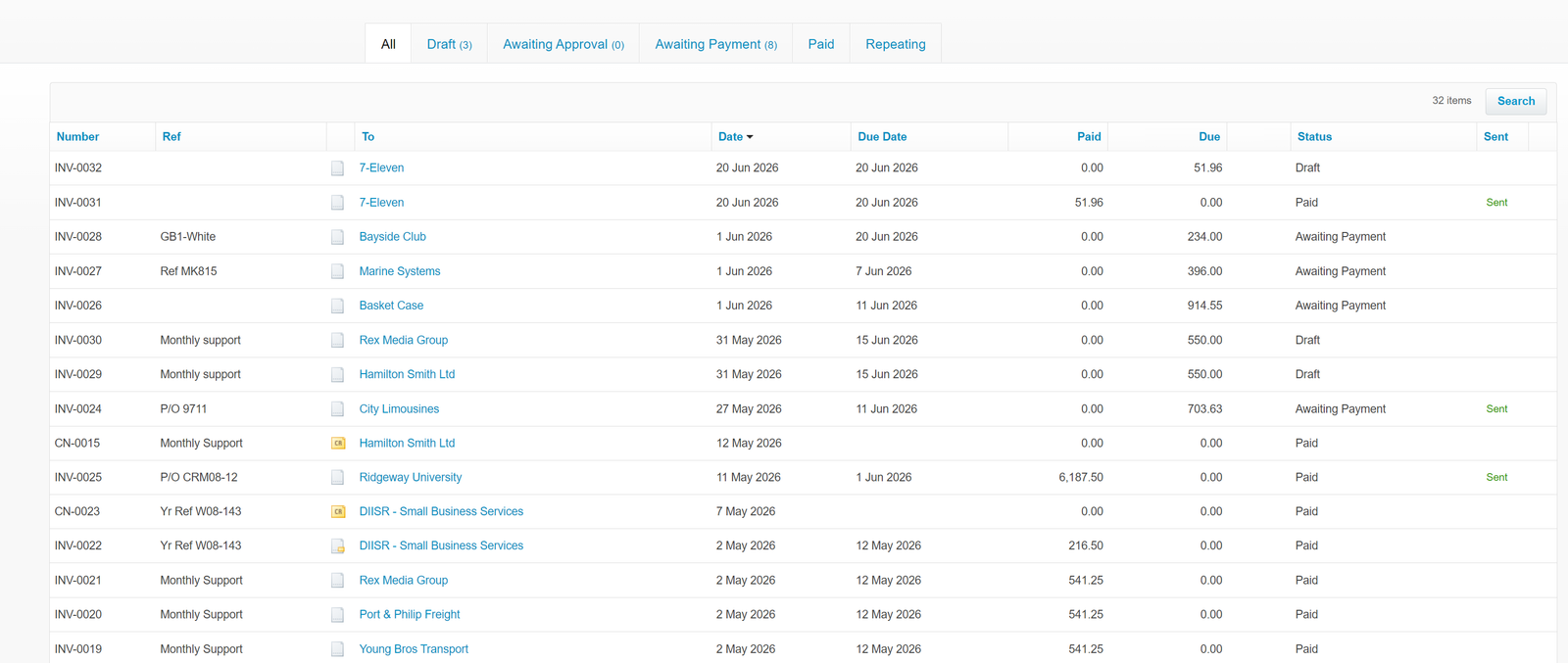
Xero lets you create branded invoices and quotes, send them by email, add online payment options, and set automatic payment reminders. You can see whether an invoice has been sent, viewed or paid, and set up repeating invoices for retainers or recurring client subscriptions.
Who benefits: Service businesses that bill regularly and want customers to pay by card or bank transfer directly from the invoice. The catch is the Early plan's 20-invoice monthly cap, which rules it out for anyone with steady transaction volume.
Independent user reviews have noted mixed reactions to Xero's newer invoicing interface, which replaced the classic version. If customized invoice layout flexibility is critical to your workflow, test it thoroughly during the 30-day free trial.
Bank Feeds & Reconciliation
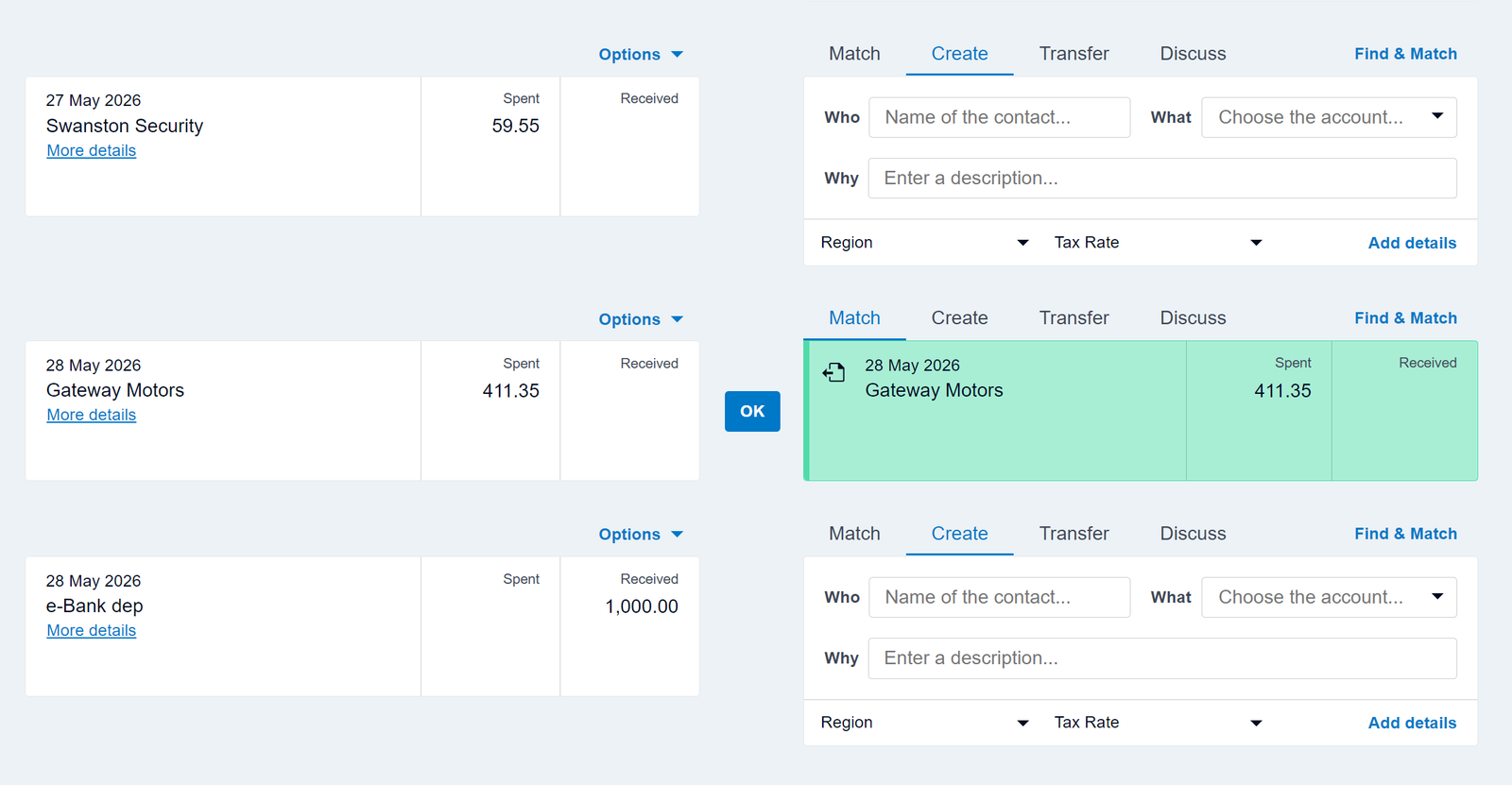
Reconciliation is the strongest part of Xero. You connect your bank and credit card accounts, transactions flow in via automated feeds, and Xero suggests matches against recorded invoices, bills, or custom transaction rules. You confirm matches with a single click, or easily adjust when a suggestion is inaccurate.
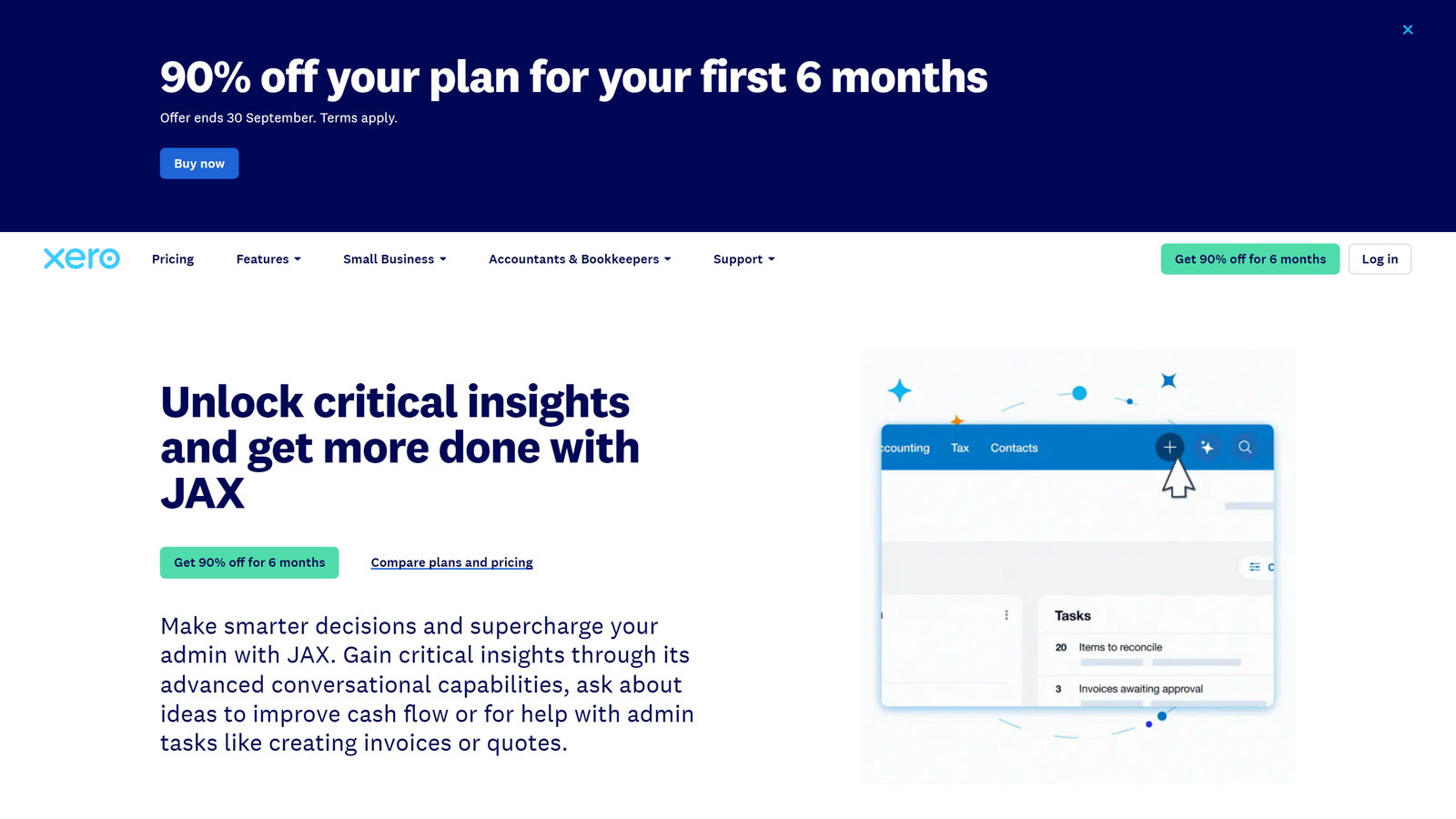
On the Growing and Established tiers, Xero's artificial intelligence assistant, JAX, can auto-reconcile transactions. According to Xero, JAX uses historical behavior, user rules, and machine learning predictions, completing reconciliations automatically only when confidence is high while preserving user audit control.
Bank feed stability depends in part on your financial institution. As with all cloud accounting tools, independent users report occasional feed interruptions that require re-authenticating with the bank.
Expense Tracking & Smart Document Capture
All plans include Smart Document Capture (powered by Hubdoc, which Xero owns). You can snap a receipt with your phone or forward a supplier bill via email; Xero automatically extracts key transaction data and attaches the source document directly to the transaction record.
Full employee expense claims—complete with mileage tracking, team submission workflows, and reimbursement management—are exclusive to the Established plan in the US ($97/mo). On Early and Growing, you can still record business expenses manually, but you lack the collaborative employee claims workflow.
Bills and Accounts Payable (Melio Bill Pay)
You can enter bills manually or via receipt capture, schedule due dates, batch vendor payouts, and track liabilities through aged payables reports. Since March 2026, US businesses can pay bills directly within Xero using Melio-powered embedded payments, automatically matching and reconciling disbursements.
Standard ACH vendor payments are completely free on all US plans. Other disbursement methods, such as credit card or expedited check delivery, carry nominal processing fees. Keep in mind that the Early plan restricts you to just 5 bills per month.
Financial Reporting
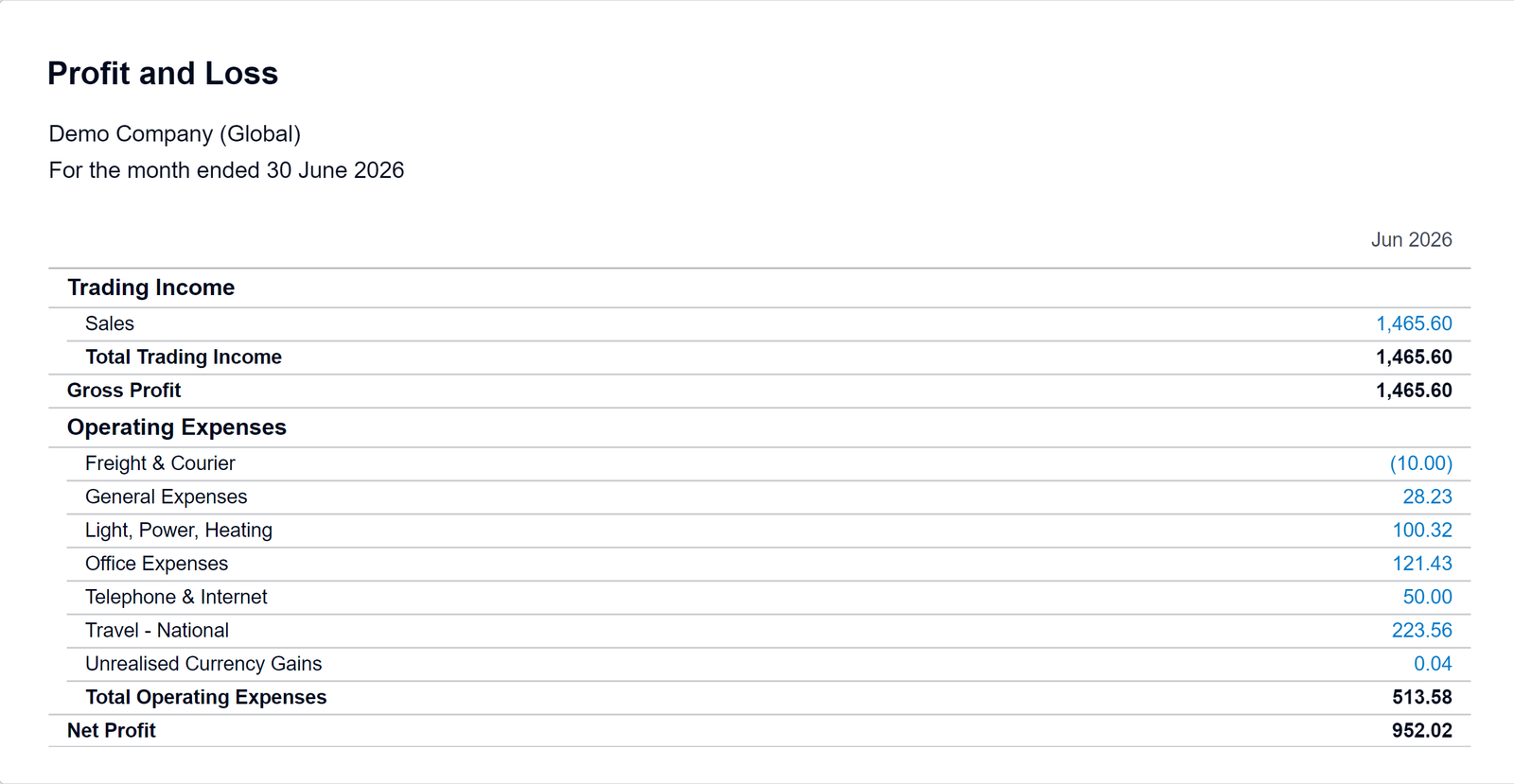
Every plan includes standard financial reporting: Profit & Loss (Income Statement), Balance Sheet, Statement of Cash Flows, Aged Receivables, and Aged Payables. Reports run on live data and export cleanly to PDF or Excel spreadsheets.
Higher tiers provide forward-looking predictive tools. Cash flow forecasts extend from 30 days on Early to 60 days on Growing and 180 days on Established. Established also adds comparative KPI analysis and industry benchmarking.
Limitation: If you require highly customized corporate management reporting or multi-entity balance sheet consolidation, you will likely need an advanced reporting add-on from the Xero App Store.
Inventory Management
Xero's built-in inventory tracks up to 4,000 items by quantity and average cost. This suits small businesses selling a moderate catalog of finished goods.
However, the core product lacks native multi-location tracking, reorder point alerts, and bill-of-materials assemblies. For multichannel ecommerce sellers, Xero offers Inventory Plus as an add-on on Growing and Established, supporting Shopify, Amazon (including FBA), multiple warehouses, and up to 10,000 orders monthly. Complex manufacturers will require dedicated ERP or inventory software. For more ecommerce options, see our guide on the best accounting software for ecommerce.
Payroll Capabilities
Payroll functionality varies significantly by territory:
- United States: Payroll is not native; it is an integrated add-on, Xero Payroll powered by Gusto, priced at $36/month base plus $6 per worker monthly. Gusto calculates taxes and files returns while payroll entries sync into Xero.
- United Kingdom: Built-in native payroll on Grow, Comprehensive, and Ultimate plans, with incremental per-worker fees above plan allowances.
- Australia: Full native payroll compliant with Single Touch Payroll (STP 2) included on all plans.
US businesses must remember to budget for Gusto on top of their base software subscription.
Multi-Currency Handling
In the US, multi-currency is exclusive to the Established plan ($97/mo). It supports more than 160 currencies, allowing you to send foreign invoices, pay international suppliers, and hold foreign currency bank accounts with automated exchange rate updates and realized/unrealized foreign exchange gain/loss reporting.
Projects & Job Costing
Xero Projects (included on US Established) tracks hours, billable expenses, and budgets against specific client jobs, allowing agencies, architects, and consultants to measure real-time project profitability. Time tracking is tied directly to project tasks rather than standalone employee attendance timesheets.
Mobile Applications
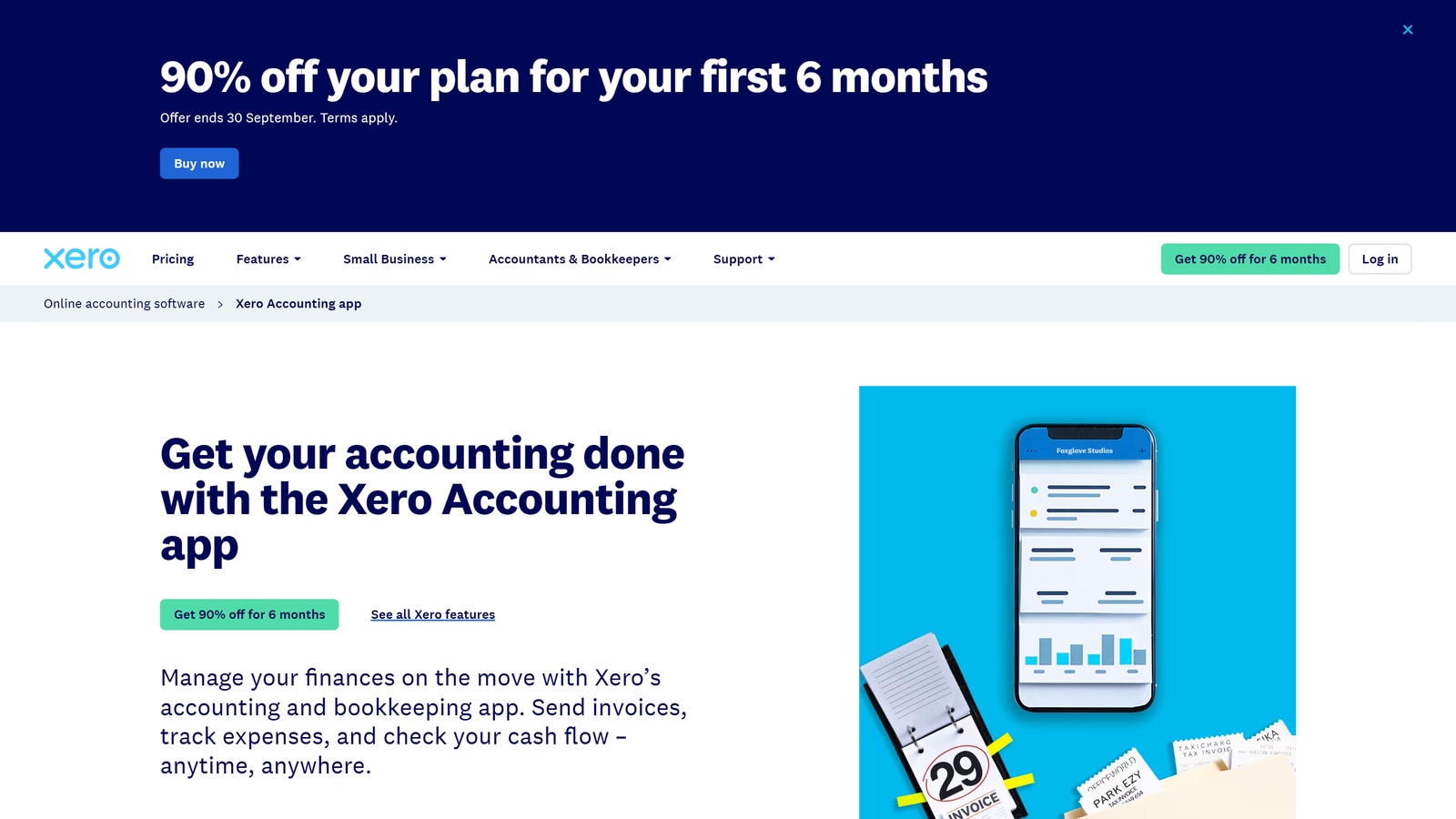
The Xero Accounting mobile app for iOS and Android is included with every subscription. It excels at on-the-go bookkeeping tasks: issuing quick invoices on site, capturing receipts, viewing cash balances, reconciling transactions, and querying JAX. In the US, eligible merchants can also accept contactless in-person card payments via Tap to Pay through Stripe.
Is Xero Easy to Use?
Xero is far more modern and intuitive than legacy desktop accounting packages, but it carries a steeper learning curve than simple invoicing-only apps like FreshBooks.
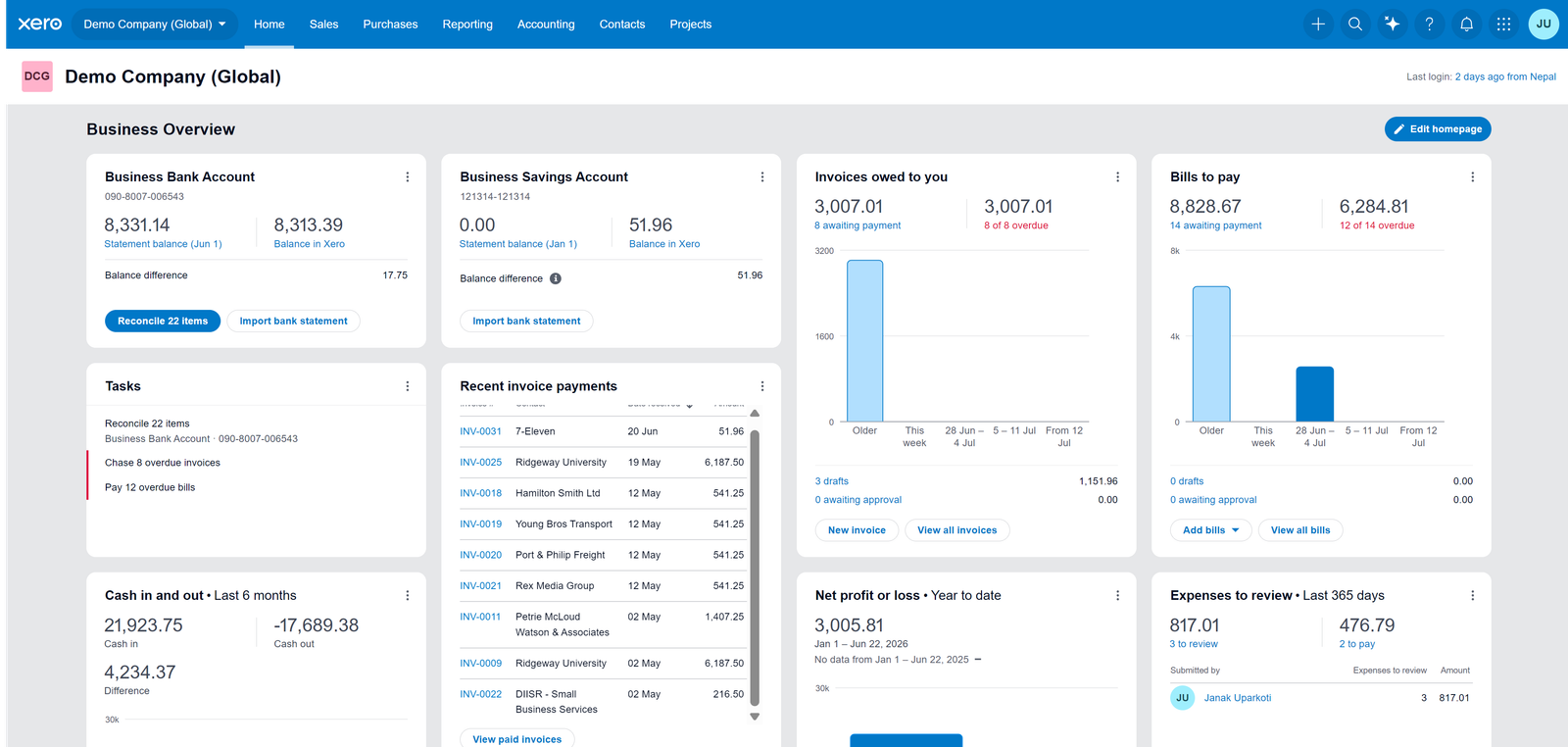
- Interface and Dashboard: Clean visual widgets present bank balances, overdue bills, unpaid invoices, and cash flow curves. Dashboards on Growing and Established are customizable.
- Initial Setup: Connecting bank feeds, establishing your chart of accounts, importing customer lists, and setting opening balances requires dedicated time during your first week. New subscribers can take advantage of Xero Coaches, an onboarding guidance program available during the first 90 days.
- Learning Curve: Business owners familiar with double-entry principles (debits, credits, accrual accounting) will adapt quickly. Beginners will rely heavily on Xero Central tutorials or initial guidance from an accountant.
- Accountant Collaboration: Outstanding. External bookkeepers and CPAs receive their own advisor credentials at zero extra cost, utilizing sophisticated multi-client management consoles.
Xero Pros
- Unlimited users on every plan: No per-seat penalties as your team expands.
- Superior bank reconciliation: AI-powered matching and JAX automation save hours weekly.
- 1,000+ app integrations: The largest certified app marketplace in the cloud accounting industry.
- Free standard ACH bill payments: Melio-powered bill pay embedded directly inside US plans.
- Document capture included: Receipt scanning via Hubdoc on all plans without paying extra.
- Respected by accountants: Deep collaboration tools designed specifically for advisors.
- Month-to-month contracts: No restrictive annual lock-in required.
Xero Cons
- Strict Early plan limits: 20 invoices and 5 bills per month force active businesses into Growing ($59/mo).
- No inbound phone support: Online ticketing only; callbacks are unscheduled.
- US payroll costs extra: Gusto integration adds $36/mo base + $6/person.
- Key features restricted to Established ($97/mo): Multi-currency, Projects, and employee expense claims require the highest tier.
- Basic native inventory: Multichannel sellers require Inventory Plus or third-party add-ons.
- October 2026 price increase: Narrows the price advantage Xero previously held over QuickBooks.
Who Is Xero Best For?
- Businesses with multiple team members in the books: Unlimited user seats make Xero exponentially cheaper than QuickBooks Online or FreshBooks once you have 3 or more users.
- Firms working alongside an external CPA: Xero's accountant portal and real-time collaboration eliminate cumbersome year-end data exports.
- Service agencies and consultancies: Strong recurring invoicing, online card payments, and project profitability on Established fit client services perfectly.
- Ecommerce sellers with modest catalogs: Direct sync with Shopify, Stripe, PayPal, and A2X simplifies omnichannel order bookkeeping.
- Freelancers scaling into an agency: Early is serviceable for low volumes, though solo freelancers with very simple billing may prefer our recommendations for the best accounting software for freelancers.
- Startups seeking clean double-entry records: Prepares accurate GAAP-compliant financial statements for investors from day one.
Who Should Not Use Xero?
- You demand immediate inbound phone support: Xero offers 24/7 web tickets but no direct phone number. If speaking to a representative is non-negotiable, QuickBooks Online provides inbound phone help.
- You want cheap, all-in-one US payroll: With Gusto priced at $36/mo + $6/worker, teams with dozens of employees will pay substantial monthly payroll fees.
- Your accountant strictly mandates QuickBooks: If your CPA refuses to work in Xero, switching platforms will generate administrative friction and higher billing hours.
- Complex manufacturing or multi-warehouse operations: Xero lacks native multi-location inventory and assembly builds. Consider QuickBooks Enterprise, Zoho Books Elite, or dedicated inventory ERPs.
- Solo operators with basic invoicing needs: Freelancers who only need to bill hours should examine FreshBooks or free options like Wave.
Xero vs QuickBooks Online
QuickBooks Online remains Xero's primary rival in the US market. Here is how they compare following the late 2026 price revisions:
| Factor | Xero | QuickBooks Online |
|---|---|---|
| List Pricing | $27 / $59 / $97 per month | $38 / $85 / $140 / $340 per month |
| Included Users | Unlimited on all plans | 1, 3, 5, or 25 users by plan tier |
| Invoicing | Strong; Early capped at 20/mo | Strong on all plans |
| Reconciliation | Industry-leading; AI JAX on Growing+ | Strong automated rules |
| Inventory | Basic; Inventory Plus add-on | Native on Plus ($140/mo) and Advanced |
| Payroll | Gusto add-on: $36 + $6/person | QuickBooks Payroll: $50 + $7/person |
| Customer Support | 24/7 online ticketing; no inbound phone | Inbound phone support on paid tiers |
| App Marketplace | 1,000+ certified apps | 750+ apps in Intuit ecosystem |
| US CPA Familiarity | Growing rapidly | Dominant market share in US |
Choose Xero if you need more than 2 or 3 team members accessing accounting data, prioritize bank reconciliation speed, and want lower long-term subscription costs. For a 5-person team, Xero Growing costs $59/month versus $140/month for QuickBooks Plus.
Choose QuickBooks Online if you need phone support, native inventory tracking without add-ons, or work with a traditional US accountant who insists on the Intuit ecosystem. Read our full Xero vs QuickBooks comparison for a complete feature-by-feature breakdown.
Xero vs FreshBooks
FreshBooks began as an invoicing and time-tracking tool for freelancers before adding basic accounting. Its plans run $23/mo (Lite, 5 clients), $43/mo (Plus, 50 clients), and $70/mo (Premium, unlimited clients), with additional team members costing $11 each per month.
Xero is a far more robust double-entry general ledger platform, offering superior reconciliation, deeper financial reporting, and zero per-user seat penalties.
Choose FreshBooks if you are a solo freelancer whose sole focus is tracking project hours and getting paid quickly. Choose Xero if you operate a growing team, manage inventory or accounts payable, and require formal double-entry books. See our head-to-head analysis in Xero vs FreshBooks.
Xero vs Zoho Books
Zoho Books is the value champion, offering a free tier for businesses generating under $50,000 annually, and paid plans scaling from $20 to $275/month (with additional users at $3/each). Zoho Books provides rich automation and tighter inventory at lower price tiers, especially when bundled with the Zoho One ecosystem.
However, Xero provides unlimited users, a vastly superior third-party integration catalog, and much broader adoption among certified accounting professionals. Review our full comparison in our Zoho Books review and accounting software reviews hub.
Xero Security and Data Protection
Xero adheres to strict enterprise-grade security protocols across its global cloud infrastructure:
- Certifications: Certified to ISO/IEC 27001:2022 standards and independently audited for SOC 2 Type II compliance.
- Payment compliance: PCI DSS v4.0 (SAQ A) compliant for credit card processing security.
- Encryption: Data is encrypted both in transit (TLS 1.2+) and at rest using industry-standard AES-256 ciphers.
- Account Protection: Mandatory Multi-Factor Authentication (MFA) across all user logins.
- Data Hosting: US customer records are hosted on Amazon Web Services (AWS) data centers located within the United States.
Xero Customer Support & Cancellation
Xero provides free, unlimited 24/7 web-based support. Users can troubleshoot via Xero Central knowledge base or submit a case from inside the software. Support representatives can initiate phone callbacks when necessary, but Xero does not maintain an inbound phone line.
Cancellation Policy: US subscriptions are billed month-to-month. Xero requires one month's written notice to cancel a paid subscription. You retain full software access during the 30-day notice window, which is the essential time to export your general ledger, invoices, and reports. Once canceled, organizations are archived and require reactivation to view.
Xero Integrations & App Ecosystem
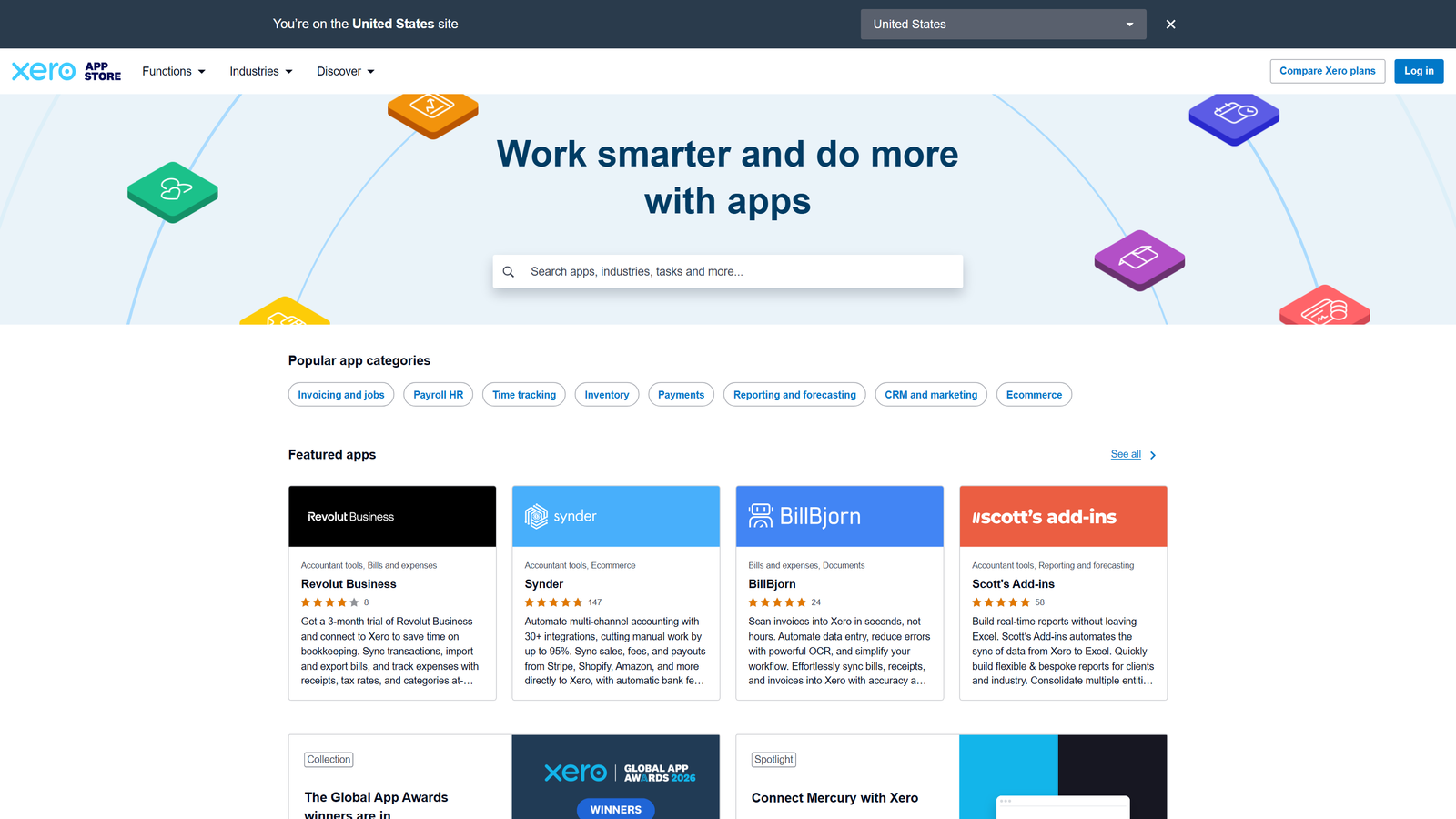
Xero's App Store boasts more than 1,000 verified third-party applications, making it the most versatile integration ecosystem in small business finance:
- Payments: Stripe, PayPal, Venmo, GoCardless.
- Ecommerce & Point of Sale: Official Shopify integration (free, maintained by Xero), A2X (for Amazon, Etsy, eBay, Walmart), Square, and Vend.
- Payroll & HR: Gusto, Deel, Employment Hero.
- Document Extraction: Hubdoc (included free), Dext Prepare, AutoEntry.
- CRM & Operations: HubSpot, Salesforce, WorkflowMax, Zapier.
Is Xero Worth It in 2026?
Yes, for the right business profile. The October 2026 price revision slightly narrows its discount against rivals, but the inclusion of unlimited users ensures extraordinary value for multi-person teams.
Xero is worth it if:
- You have 2 or more employees, partners, or bookkeepers who need independent logins.
- Your accountant or advisor already works in Xero.
- Automated bank reconciliation is central to your weekly bookkeeping speed.
- You leverage ecommerce and specialized SaaS integrations.
- You trade internationally in multiple currencies (via Established).
Xero is not worth it if:
- You demand inbound phone customer support.
- You need all-in-one low-cost US payroll included in your base software bill.
- You manage complex manufacturing bills-of-materials or multi-bin inventory.
- Your CPA exclusively works in QuickBooks.
Final Xero Review Verdict
We award Xero an overall rating of 4.2 out of 5 stars. It remains one of the premier cloud accounting systems in the world, combining rock-solid double-entry bookkeeping, peerless bank reconciliation, and an unmatched unlimited user policy.
While QuickBooks Online holds greater market dominance among traditional US accountants and FreshBooks simplifies invoicing for solo freelancers, Xero hits the absolute sweet spot for growing collaborative businesses on the Growing plan ($59/mo). To compare how Xero ranks against other industry leaders, explore our comprehensive guide to the best accounting software for small business or browse our curated accounting software buying guides.
Frequently Asked Questions
How much does Xero cost in 2026?
In the United States, regular list prices are $27/month for Early, $59/month for Growing, and $97/month for Established (effective October 1, 2026). However, with the current 80% discount for the first 3 months, new customers pay just $5.40/month for Early, $11.80/month for Growing, and $19.40/month for Established. US payroll powered by Gusto costs an additional $36/month plus $6 per worker.
Does Xero have a free trial?
Yes. Xero provides a full-featured 30-day free trial with no credit card required. New US subscribers are also frequently eligible for temporary introductory promotions, such as 80% off the base subscription for the first 3 months.
Does Xero charge per user?
No. Unlike QuickBooks Online or FreshBooks, all standard Xero business subscriptions permit unlimited team users, accountants, and administrators at no additional cost.
Is Xero better than QuickBooks?
Xero is generally better for collaborative teams due to its unlimited user pricing and superior bank reconciliation interface. QuickBooks Online offers inbound phone support, native inventory on mid-tier plans, and a significantly larger network of US accounting practitioners.
Does Xero do payroll in the US?
Yes, through embedded Xero Payroll powered by Gusto (launched in August 2026). It costs $36/month base fee plus $6 per employee or contractor on top of your Xero subscription.
Is Xero easy for beginners?
Day-to-day operations like sending invoices and reconciling transactions are very straightforward. However, initial setup—including the chart of accounts and opening balances—requires basic bookkeeping knowledge. New users can utilize Xero Central guides and Xero Coaches onboarding.
Can I use Xero without an accountant?
Yes, many self-employed owners and business managers handle day-to-day bookkeeping in Xero independently. However, inviting an external CPA is free and highly recommended for tax prep and year-end reconciliation.
Can Xero connect to my bank?
Yes. Xero provides automated direct feeds with thousands of financial institutions worldwide. You can confirm whether your specific banking institution is supported during the 30-day free trial.
Is Xero good for ecommerce?
Yes, for small to mid-sized online businesses. Xero offers direct integrations with Shopify, Stripe, PayPal, and A2X. Sellers managing large catalogs or multiple physical warehouses should add Inventory Plus or dedicated inventory software.
Can Xero handle VAT and sales tax?
In the UK, Xero is HMRC-recognized for Making Tax Digital (MTD) for VAT and Income Tax. In the US, Xero calculates and tracks sales tax on invoices and bills, though businesses with complex multistate economic nexus often pair it with Avalara or TaxJar.
Does Xero have phone support?
Xero does not maintain an inbound telephone hotline. It provides 24/7 web ticket support and help documentation, with support agents scheduling outbound phone callbacks when complex issues arise.
Can I cancel Xero anytime?
US subscriptions are month-to-month, but Xero's terms of service require 30 days' written notice to cancel a paid organization. Be sure to export all transaction histories, reports, and contacts during this final billing cycle.
