Xero vs QuickBooks Online (2026): Which Is Right for Your Small Business?
Disclosure: Some links in this article are affiliate links. If you click through and make a purchase, we may earn a commission at no extra cost to you. Learn more.
Quick Verdict: Which Platform Wins?
Xero wins for collaborative teams and global businesses thanks to unlimited user seats, superior bank reconciliation, and modern design. QuickBooks Online wins for US-based small businesses that rely heavily on local CPA firms and require advanced inventory valuation.
Table of Contents
Side-by-Side Comparison
Xero and QuickBooks Online are the two undisputed titans of cloud accounting. While they share core double-entry accounting fundamentals, their pricing models, interface philosophies, and target demographics differ sharply.
| Feature | Xero | QuickBooks Online |
|---|---|---|
| Our Rating | 9.8 / 10 (Winner) | 8.6 / 10 |
| Starting Price | $20 - $25/mo | $35/mo |
| User Seats | Unlimited users on all standard plans | Strict limits (1, 3, 5, or 25 users) |
| Bank Reconciliation | Industry-leading side-by-side matching | Strong automated rules engine |
| App Marketplace | 1,000+ certified third-party integrations | 750+ integrations |
| US CPA Preference | High in tech/modern firms | Universal standard in North America |
Pricing & User Seats
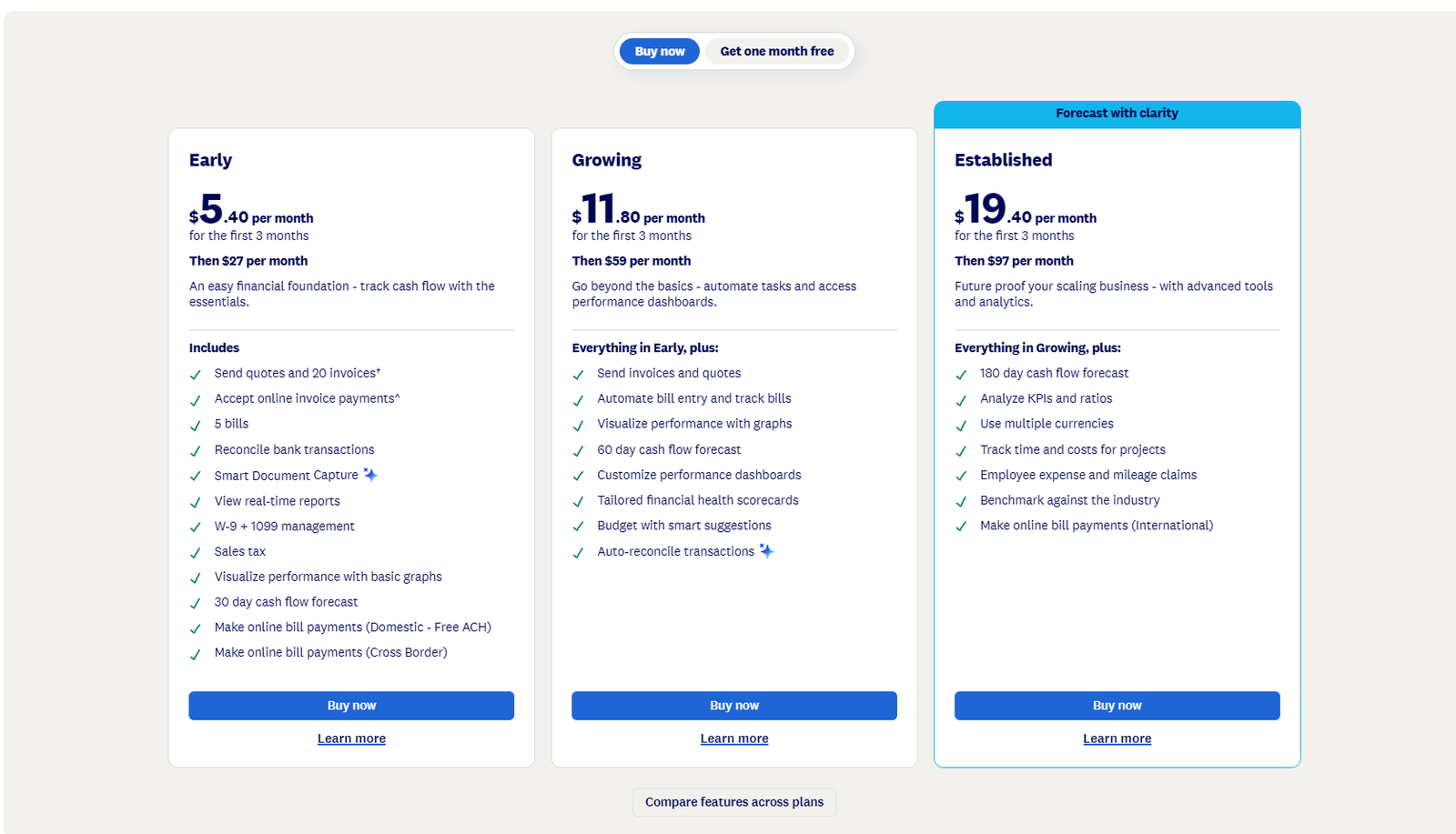
The single greatest structural difference between Xero and QuickBooks Online is user seat management. QuickBooks charges significantly higher monthly rates and caps users at 1 (Simple Start), 3 (Essentials), and 5 (Plus). If your growing company has 6 people who need access, QuickBooks forces you onto the Advanced plan at $235/month.
In contrast, Xero includes unlimited users across all standard plans. You can grant access to your business partners, sales staff, project managers, and bookkeepers without seeing your software bill spike.
Bank Feeds & Reconciliation
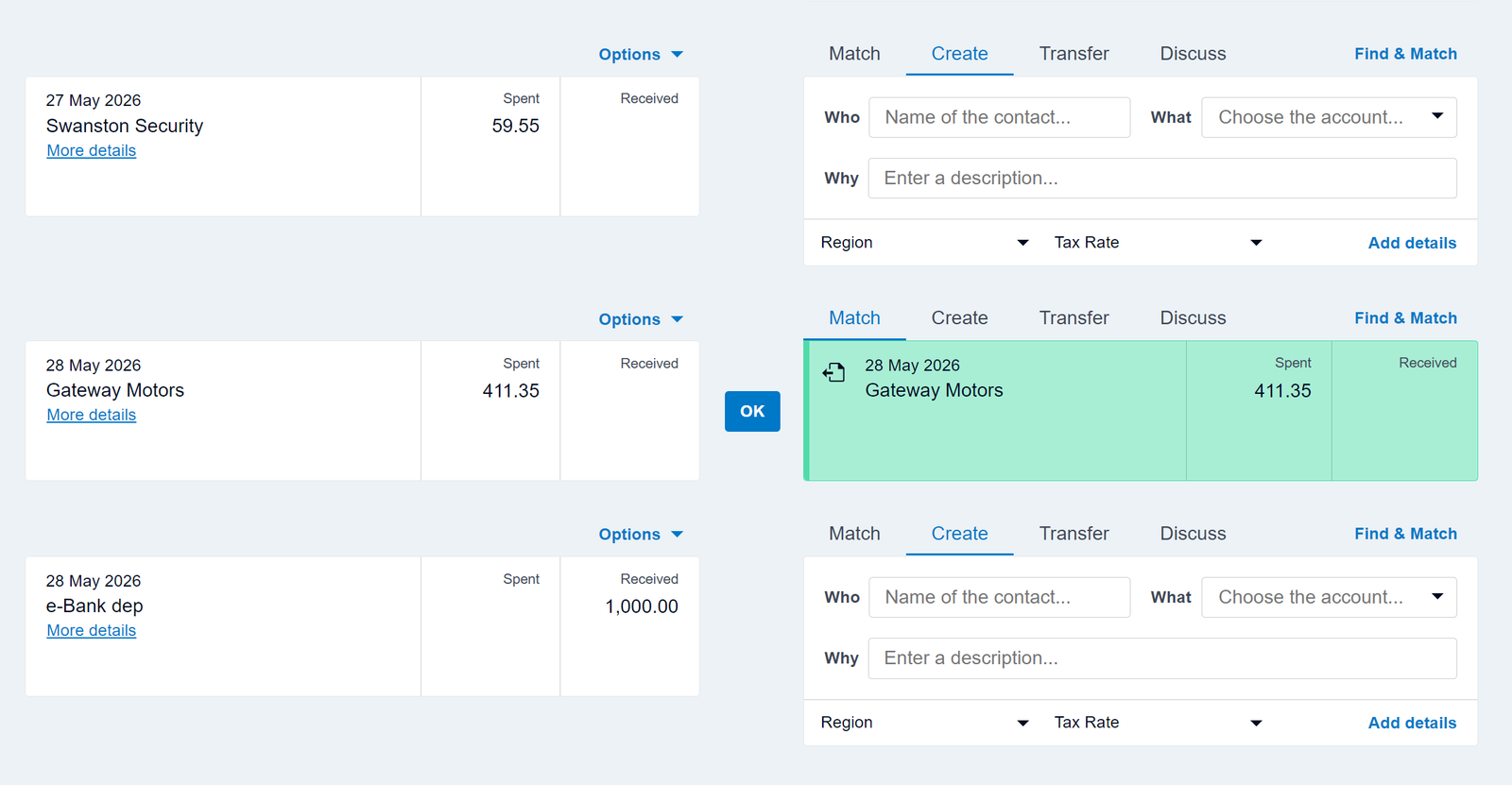
Reconciling bank accounts is a daily task in small business accounting. Xero's side-by-side reconciliation interface is widely praised by business owners and bookkeepers for its unmatched clarity.
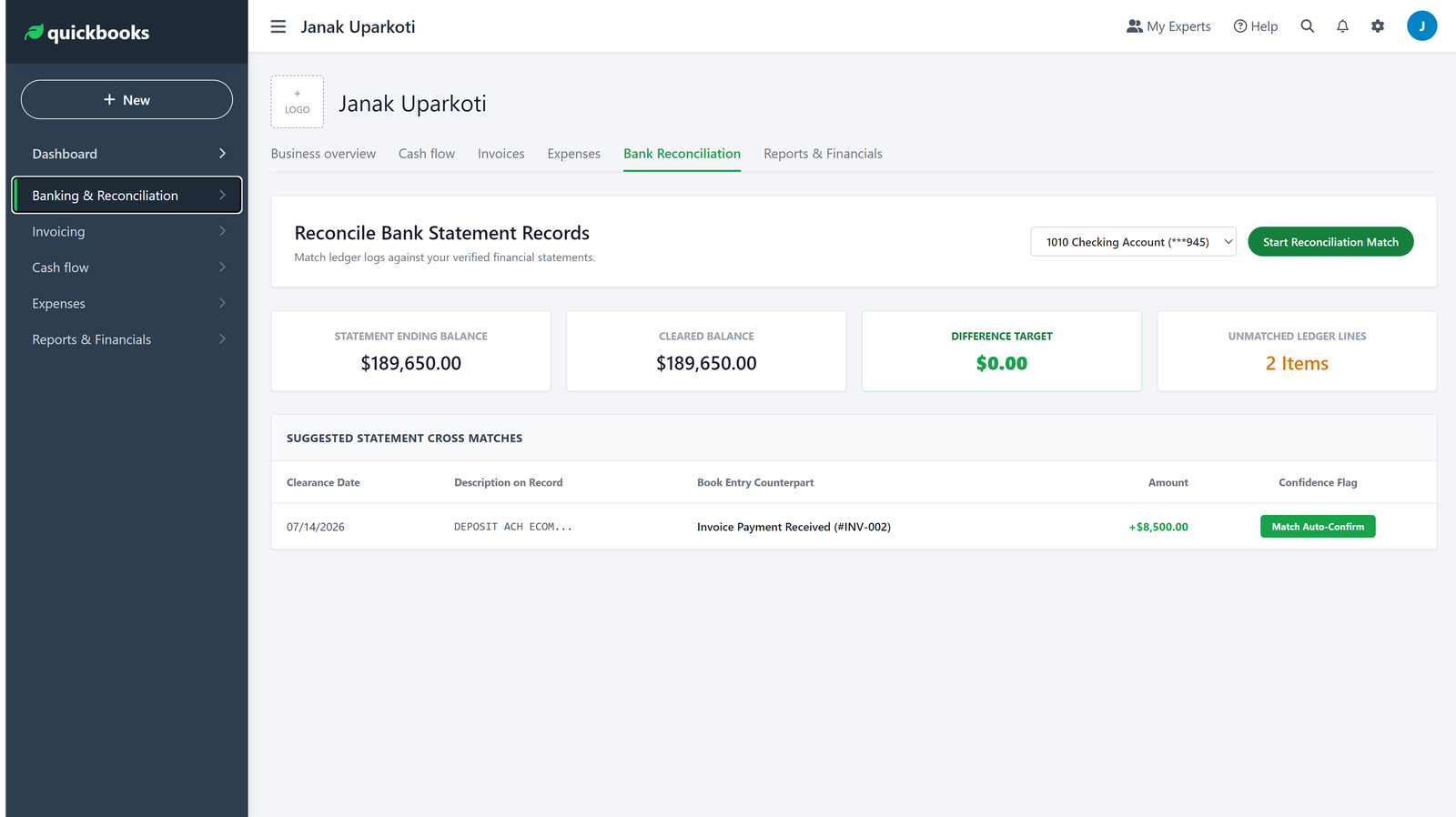
QuickBooks Online also features a robust bank feed engine with smart categorization rules, but its interface requires more clicks to confirm matches.
Invoicing & Accounts Receivable
Both platforms excel at professional invoice creation and payment reminders. Xero connects seamlessly with Stripe and GoCardless for direct debit, while QuickBooks Online features QuickBooks Payments for native credit card and ACH transactions.
Accountant Network & Support
If you are based in the United States and your existing accountant exclusively works in QuickBooks, switching to Xero may require finding a modern cloud-focused CPA. In the UK, Australia, and New Zealand, Xero is the dominant platform among accounting firms.
Final Buying Recommendation
- Choose Xero if: You have more than 2 team members who need system logins, you want top-tier automated bank reconciliation, you sell in multiple currencies, or you value a clean, uncluttered interface.
- Choose QuickBooks Online if: Your US accountant specifically demands QBO, you need advanced job-costing and contractor 1099 compliance, or you want direct native integration with TurboTax.
Frequently Asked Questions
Is it hard to switch from QuickBooks to Xero?
No. Xero provides certified data conversion partners and import templates that transfer chart of accounts, customers, vendors, and historical transactions.
Does Xero have a mobile app like QuickBooks?
Yes. Both Xero and QuickBooks provide robust iOS and Android mobile apps for invoicing, receipt capture, and bank reconciliation on the go.
