Xero vs FreshBooks (2026): Which Accounting Tool Fits Your Business?
Disclosure: Some links in this article are affiliate links. If you click through and make a purchase, we may earn a commission at no extra cost to you. Learn more.
Quick Verdict: Which Platform Fits Your Business?
FreshBooks is best for solo freelancers, consultants, and agencies where tracking billable hours and getting paid quickly by clients are the primary needs. Xero is best for scaling businesses that require comprehensive double-entry accounting, inventory, and unlimited user seats.
Table of Contents
Side-by-Side Comparison
While both Xero and FreshBooks are high-quality cloud platforms, they solve different business problems. FreshBooks is client-centric, while Xero is ledger-centric.
| Criteria | Xero | FreshBooks |
|---|---|---|
| Target User | Growing small businesses with staff | Freelancers, consultants & service agencies |
| User Seats | Unlimited users | $11/month per extra user |
| Time Tracking | Add-on or higher plan | Built-in native timer on all plans |
| Bank Reconciliation | Industry gold standard | Simple bank matching |
| Inventory Support | Tracked inventory included | Basic stock tracking via integrations |
| Starting Price | $20 - $25/mo | $21/mo |
Core Workflow Philosophy
Xero is engineered as a complete financial operating system. Its primary strength lies in connecting directly with bank feeds, reconciling general ledger entries, managing accounts payable, and delivering GAAP-compliant balance sheets.
FreshBooks, on the other hand, puts client interaction at the center of the experience. It excels at project estimation, logging billable hours, requesting upfront deposits, and automating recurring retainers.
Invoicing & Time Tracking
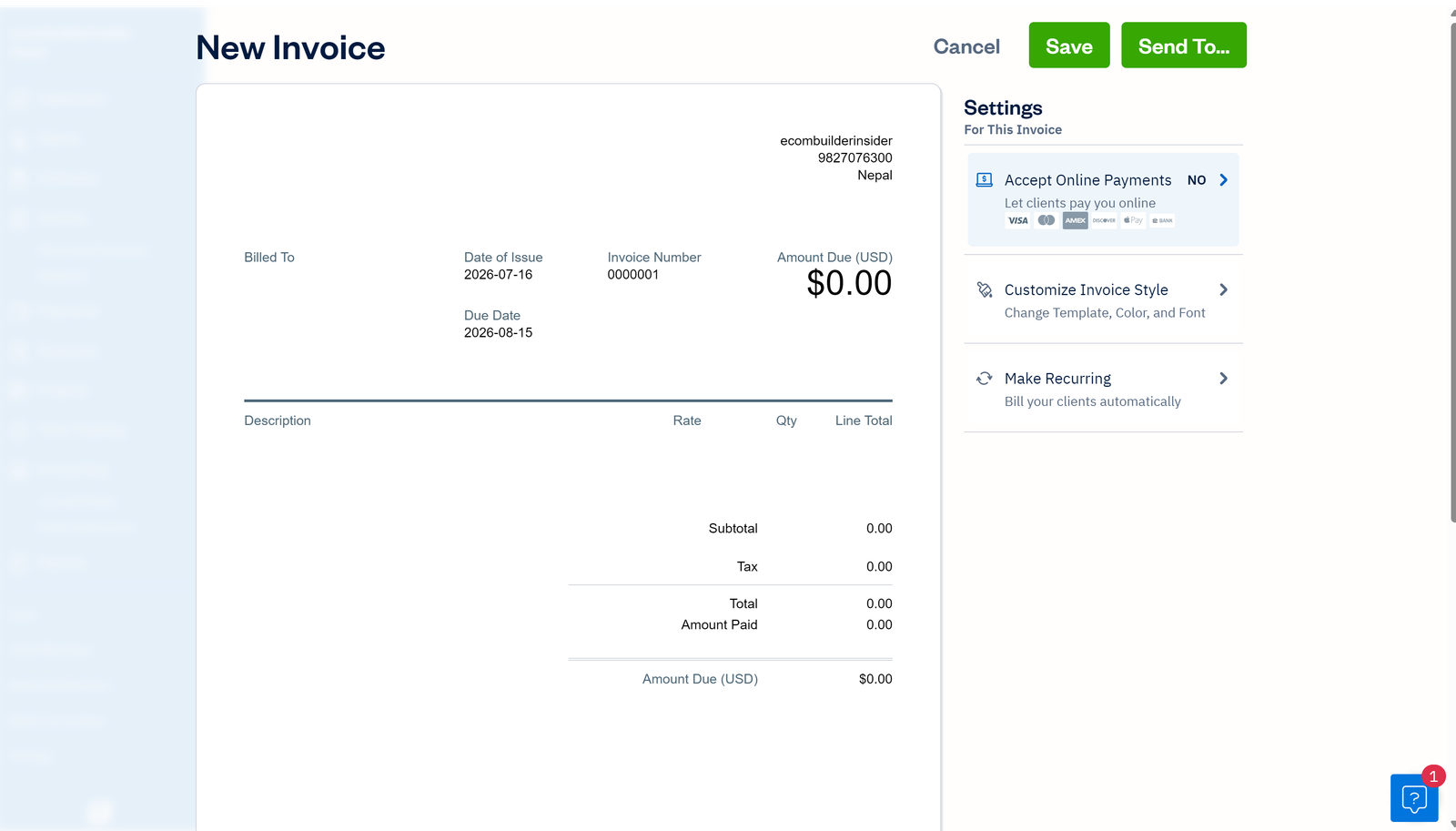
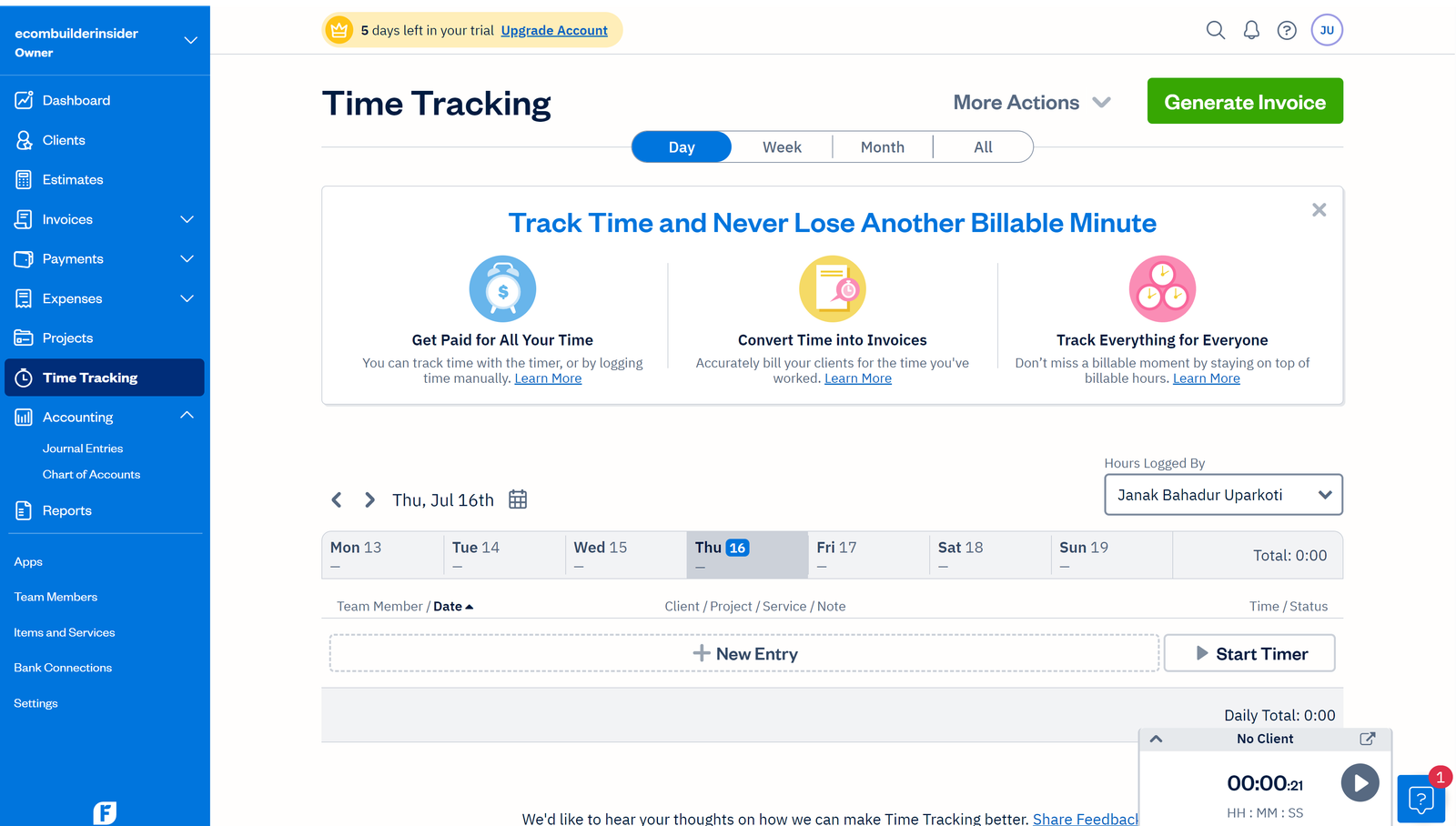
If you bill clients based on hourly rates or project milestones, FreshBooks offers a significantly smoother native workflow than Xero. FreshBooks includes a built-in stopwatch timer in both web and mobile apps, allowing you to convert logged time directly into line items on client invoices.
Pricing Models Compared
Xero charges based on features and transaction volume, offering unlimited user seats on its standard tiers. FreshBooks charges based on the number of active clients you bill each month (5 clients on Lite, 50 on Plus, unlimited on Premium).
Final Verdict: How to Choose
- Choose FreshBooks if: You are a freelancer, graphic designer, copywriter, attorney, or consultant whose primary financial task is sending invoices, tracking time, and getting paid online.
- Choose Xero if: You employ staff, sell physical goods, need unlimited user seats, or have a CPA who requires rigorous double-entry bank reconciliation.
Frequently Asked Questions
Can FreshBooks replace Xero for a growing company?
For service firms with up to 10 employees, FreshBooks can work well. However, companies needing complex multi-currency journals, inventory, or heavy third-party app integrations will be better served by Xero.
Does Xero have built-in time tracking?
Xero includes basic project time tracking on its Established tier, or via the Xero Projects add-on ($7/month + $5/user).
