QuickBooks Online Review (2026): Is It Worth the Premium Price?
Disclosure: Some links in this article are affiliate links. If you click through and make a purchase, we may earn a commission at no extra cost to you. Learn more.
Quick Verdict & Score: 8.6 / 10
QuickBooks Online is the undisputed market leader in the United States. While more expensive than Xero and limited by user seat caps, its universal accountant compatibility, powerful tax integrations, and deep banking connections make it an industry benchmark.
Table of Contents
Overview & Market Position
Intuit's QuickBooks Online (QBO) dominates the North American small business accounting landscape. Almost every US-based bookkeeper, CPA, and tax preparer knows QuickBooks inside and out. If your primary goal is handing off your books cleanly to an external US tax professional at year-end with zero friction, QuickBooks is hard to beat.
QuickBooks Online Pricing in 2026
QuickBooks Online operates on tiered subscriptions that scale based on features and user seats. Unlike Xero which offers unlimited users, QuickBooks restricts users per tier.
| Plan | Monthly Price | Users Included | Core Highlights |
|---|---|---|---|
| Simple Start | $35/mo | 1 User | Income/expense tracking, invoicing, basic tax reports |
| Essentials | $65/mo | 3 Users | Bill management, time tracking, multi-currency |
| Plus (Most Popular) | $99/mo | 5 Users | Inventory tracking, project profitability, 1099 contractors |
| Advanced | $235/mo | Up to 25 Users | Custom roles, workflow automation, batch invoicing, dedicated rep |
Dashboard & Navigation
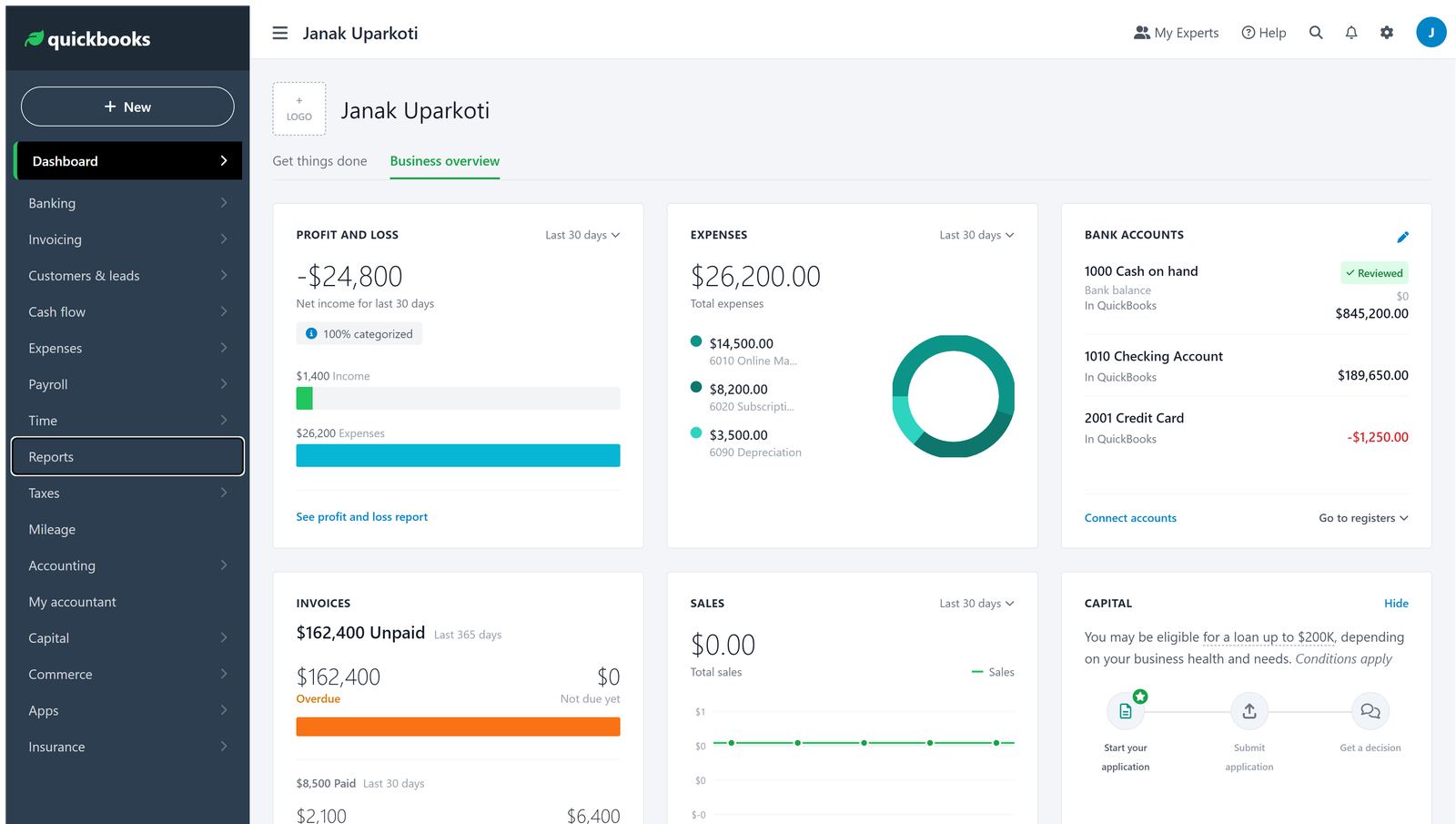
The modern QuickBooks interface features a unified business feed, shortcut creation menu, and deep cash flow projection tools. While feature-packed, the interface can occasionally feel overwhelming for beginners compared to streamlined alternatives like FreshBooks.
Invoicing & Customer Payments
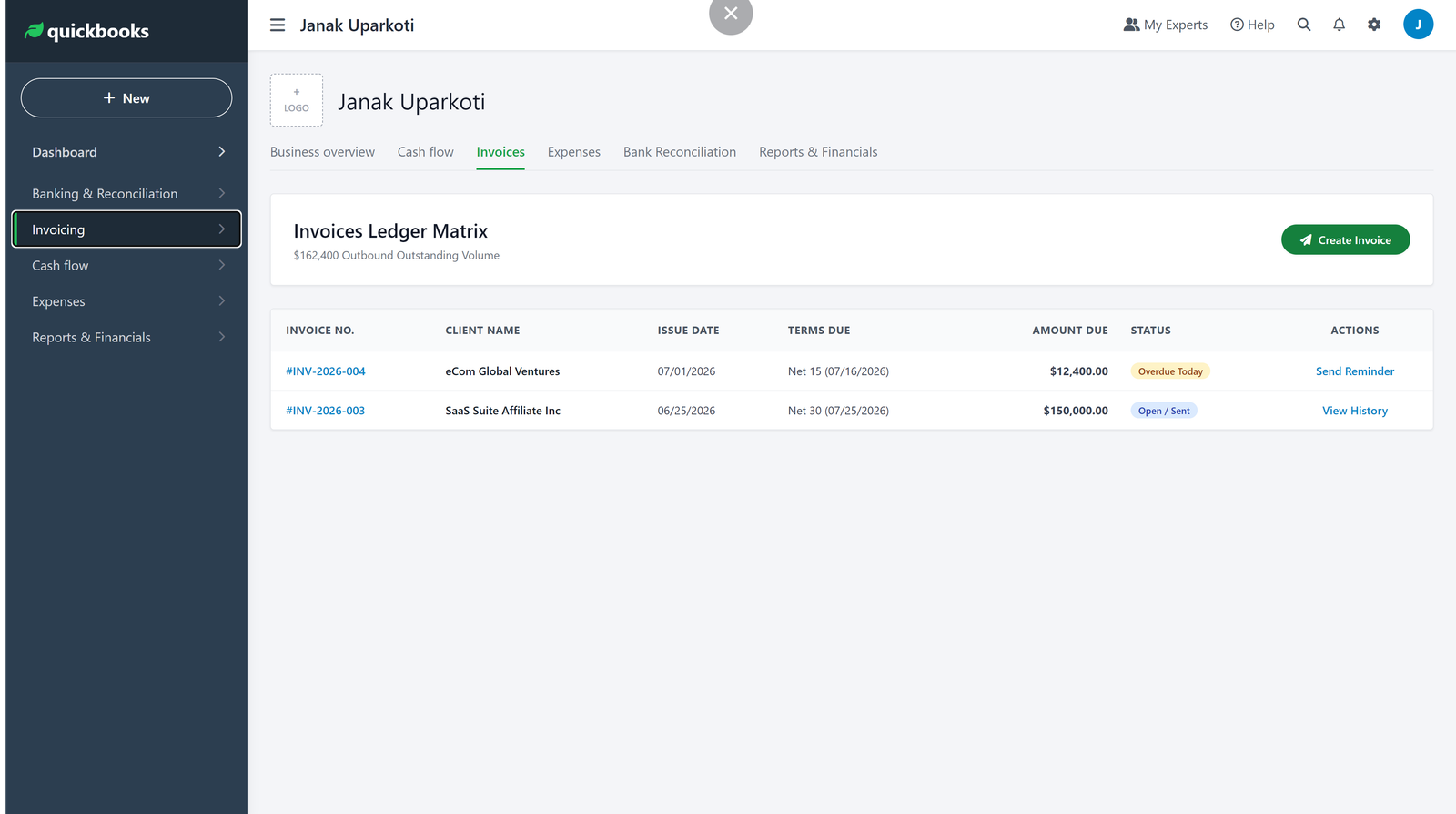
QuickBooks lets you design professional invoices, accept ACH bank transfers and credit cards directly via QuickBooks Payments, and automate customer payment reminders.
Expense Tracking & Receipt Capture
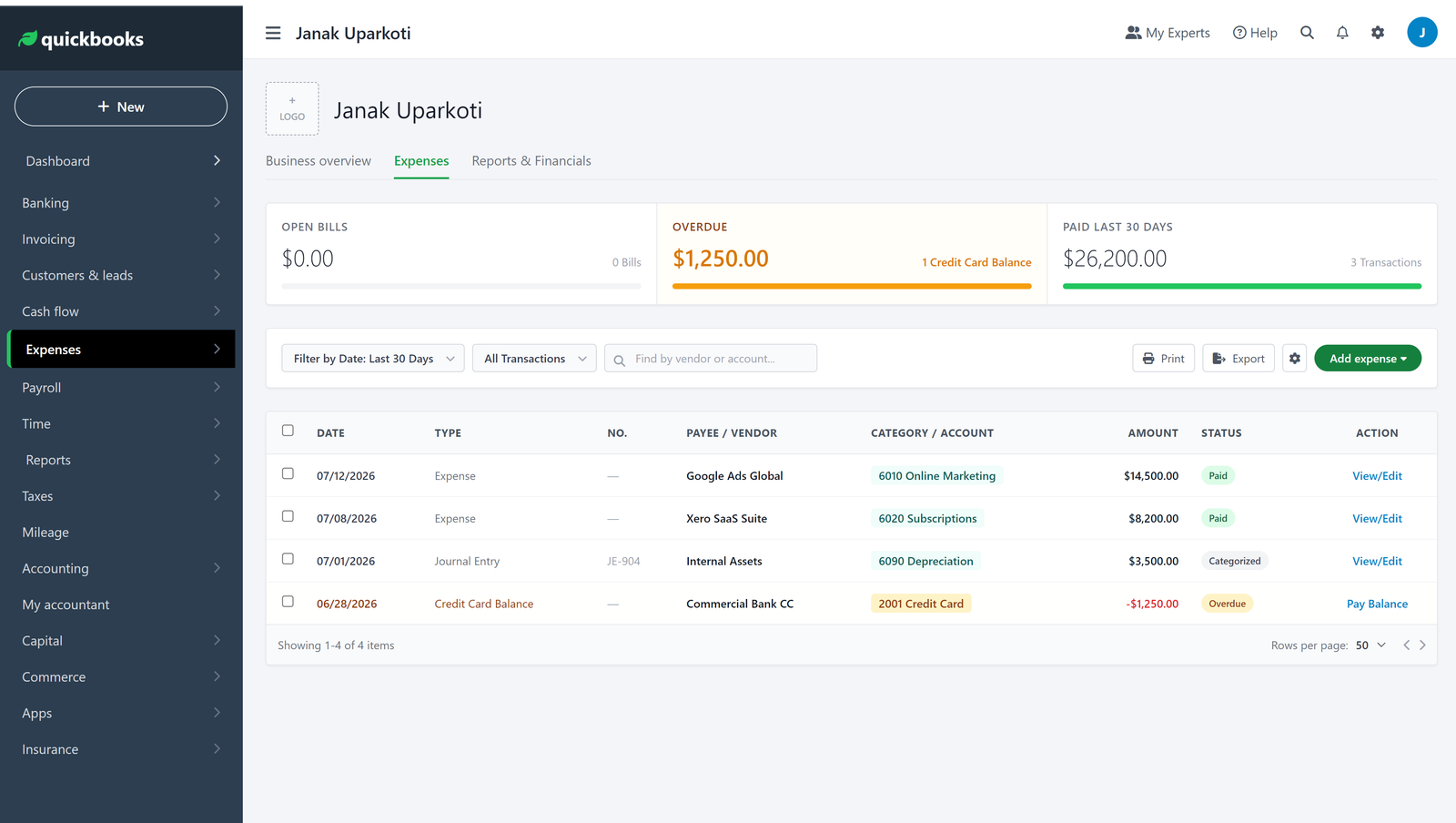
Expense management in QBO is streamlined through mobile receipt scanning. Users can snap a photo of a receipt from their smartphone, and QuickBooks OCR extracts the vendor, date, and amount, automatically suggesting an expense categorization.
Bank Feeds & Reconciliation
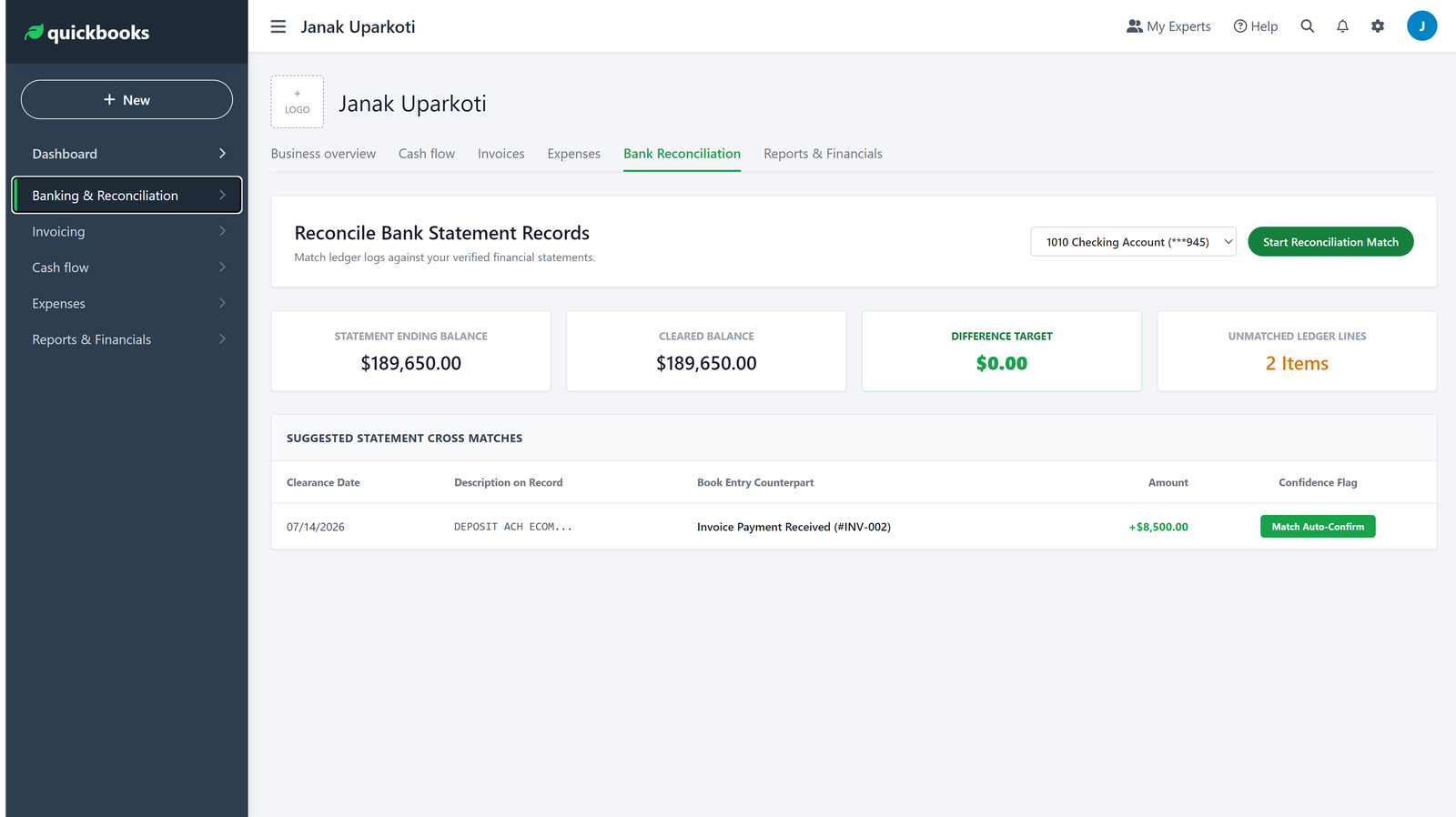
QuickBooks links with over 15,000 financial institutions globally. Once connected, transactions download automatically for one-click matching against open bills or invoices.
Financial Reporting & Tax Preparation
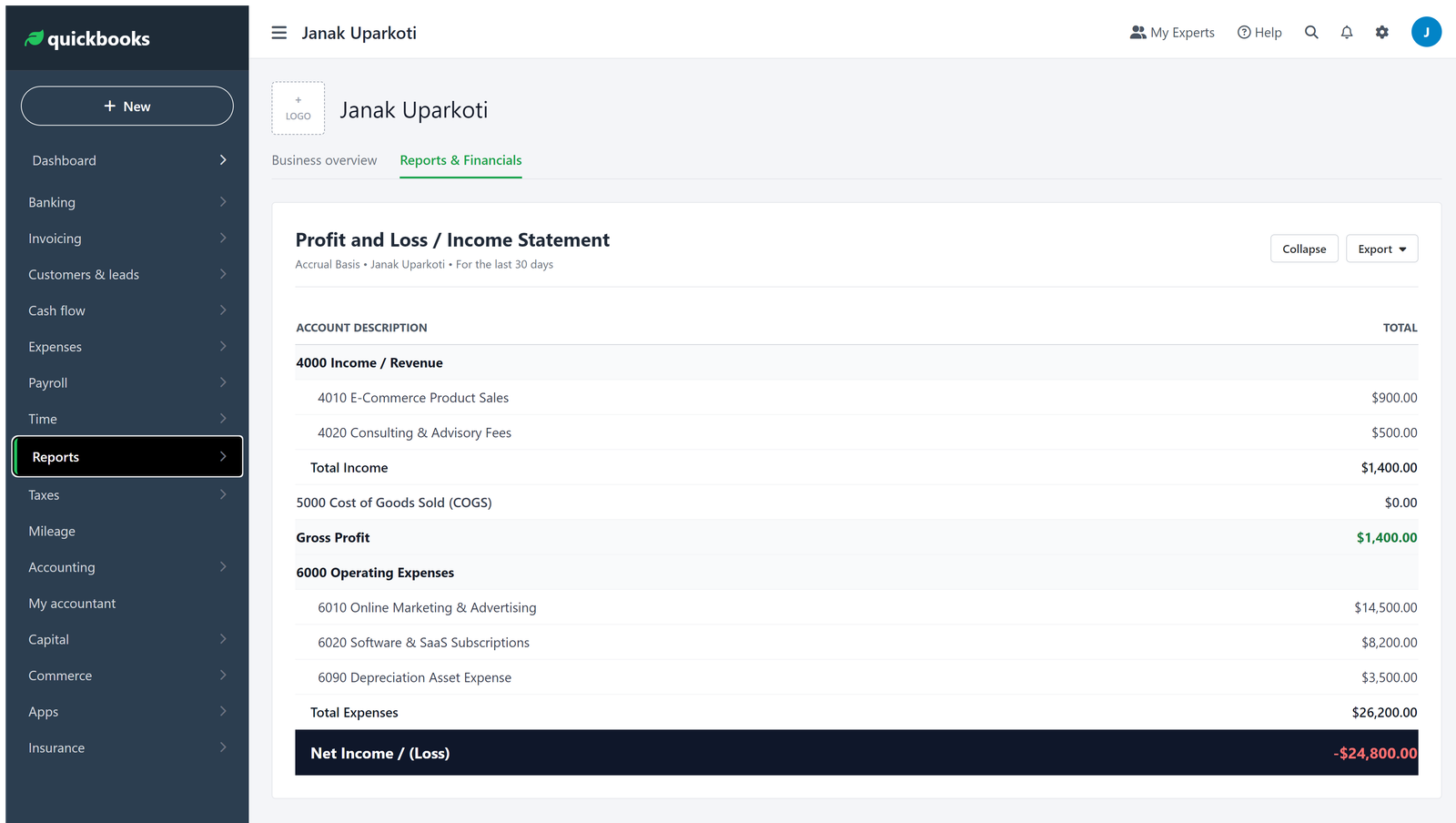
QBO provides over 80 standard reports on the Plus plan. For US businesses, its tax-ready report exports map directly onto IRS Schedule C, Form 1065, or Form 1120-S tax returns.
Advantages
- Nearly universal adoption by US accountants and CPAs
- Advanced inventory and job costing on Plus and Advanced
- Direct integration with TurboTax and QuickBooks Payroll
- Extensive third-party application ecosystem
Limitations
- Significantly higher pricing than Xero, FreshBooks, or Zoho
- Strict user seat caps per tier
- Frequent promotional price increases after initial discount periods
Who Should Use QuickBooks Online
Ideal for: US-based small businesses whose CPA requires QuickBooks, businesses needing detailed job/project profitability tracking, and growing operations needing inventory valuation.
Skip if: You want unlimited staff collaboration without paying $235/mo (choose Xero), or you are a solo freelancer who only needs clean invoicing (choose FreshBooks or Zoho Books).
Frequently Asked Questions
Does QuickBooks Online offer a free trial?
Yes, Intuit offers a 30-day free trial, though choosing the free trial usually forfeits introductory 50% discount offers.
Can I switch from QuickBooks Desktop to QuickBooks Online?
Yes, Intuit provides an automated migration tool to move your company file and transaction history to the cloud.
Which plan is best for product sellers?
The Plus plan ($99/mo) is the minimum required tier for tracking inventory and cost of goods sold (COGS).
