FreshBooks Review (2026): The Best Invoicing & Accounting for Freelancers?
Disclosure: Some links in this article are affiliate links. If you click through and make a purchase, we may earn a commission at no extra cost to you. Learn more.
Quick Verdict & Score: 9.6 / 10
FreshBooks is the premier accounting solution for freelancers, client-service agencies, and consultants. With best-in-class invoicing, built-in time tracking, client portals, and frictionless online payment processing, it eliminates the headache of billing clients.
Table of Contents
Overview & Purpose
While traditional accounting software began with complex general ledgers designed for CPAs, FreshBooks was born from a simple frustration: creating professional client invoices without formatting nightmares in Word or Excel. Over two decades, FreshBooks has grown into a full-featured accounting platform with double-entry reports, bank reconciliation, and automated expense capture, all while preserving its trademark client-facing ease of use.
FreshBooks Pricing Plans in 2026
FreshBooks pricing scales primarily by the number of billable clients you invoice each month. Discount promotions (such as 50% to 70% off for the first 3 months) are regularly available for new signups.
| Plan | Standard Monthly Price | Billable Clients | Included Core Features |
|---|---|---|---|
| Lite | $21/mo | Up to 5 clients | Unlimited invoices, expense tracking, bank feeds, tax reports |
| Plus | $35/mo | Up to 50 clients | Automatic expense categorization, recurring billing, double-entry reports |
| Premium | $60/mo | Unlimited clients | Track project profitability, customize email templates, accounts payable |
| Select | Custom pricing | Unlimited clients | Dedicated account manager, customized migration, lower card fees |
View Latest FreshBooks Deals (Up to 70% Off) →
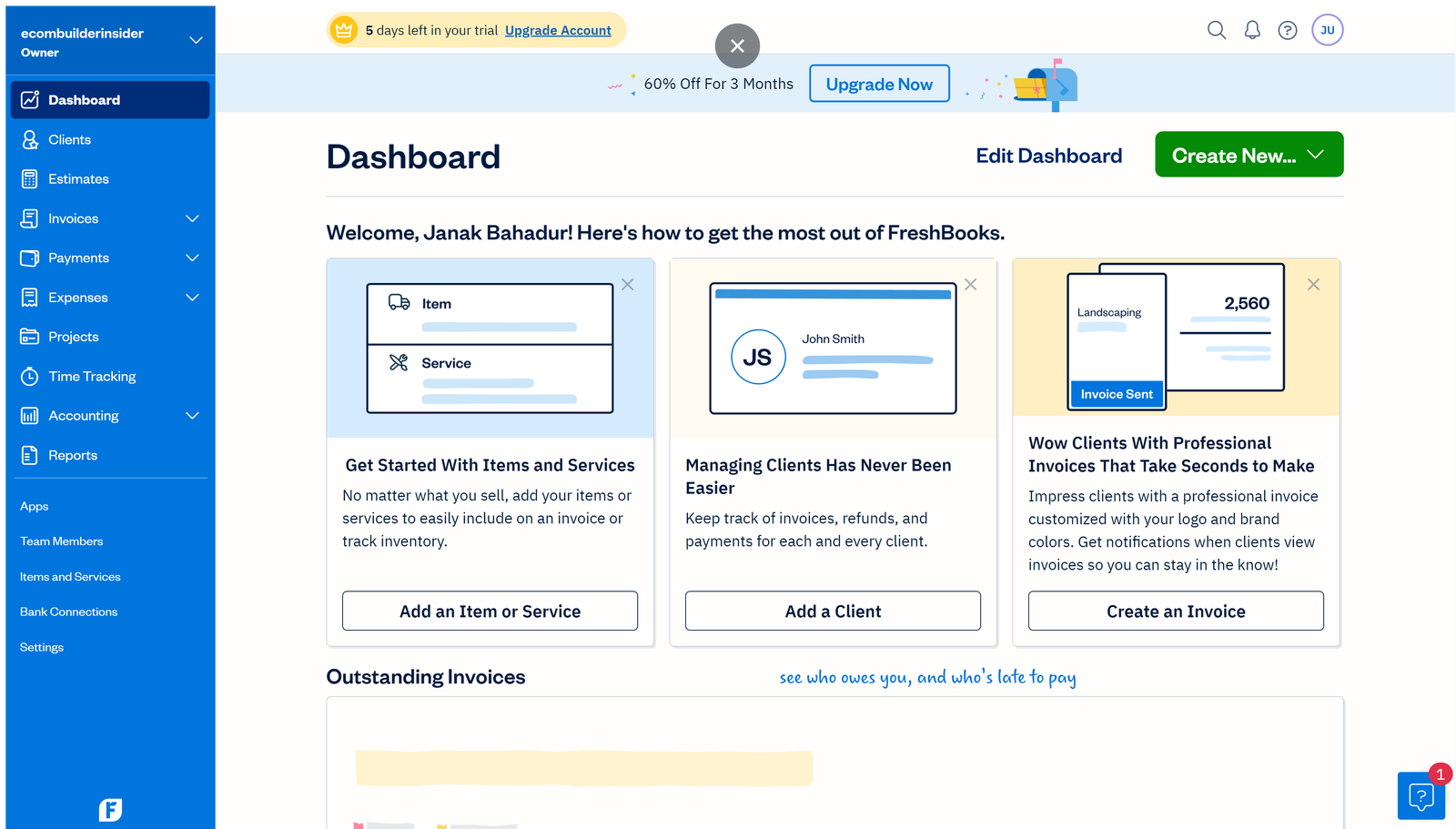
Dashboard & User Experience
FreshBooks boasts one of the most intuitive user interfaces in the SaaS industry. Non-financial founders can set up their company, customize their logo, and send their first invoice in under ten minutes without reading a user manual.
Invoicing & Retainers
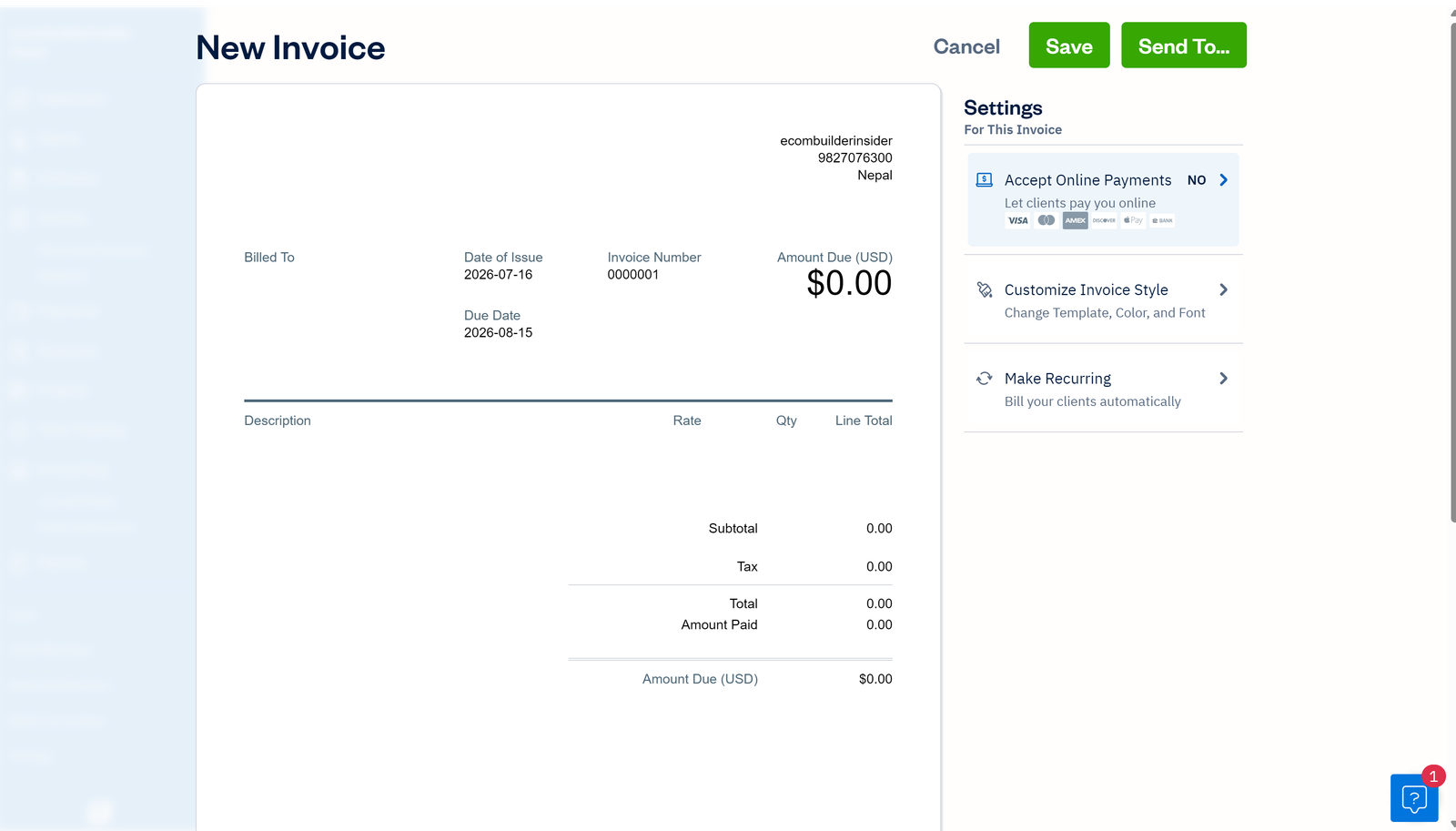
Creating an invoice in FreshBooks looks exactly like the finalized document the customer sees. You can add line items, configure sales taxes, apply discounts, schedule recurring invoices, and automatically charge client credit cards on file for monthly retainers.
Time Tracking & Project Billing
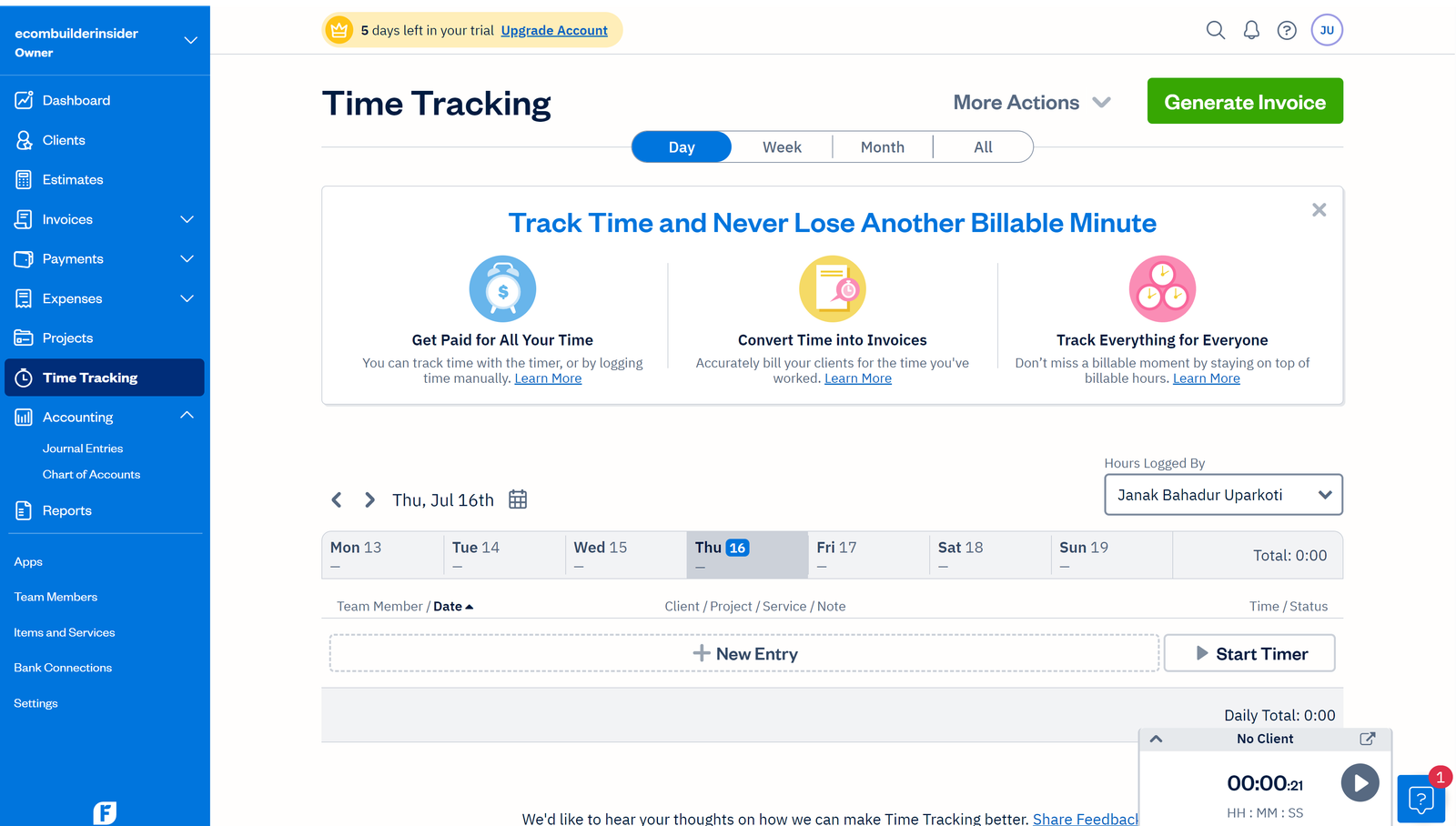
For service providers billing by the hour, FreshBooks includes a native stopwatch timer accessible in the web browser and mobile apps. Logged hours can be assigned directly to specific client projects and converted into itemized invoices with a single click.
Online Payments & Deposits
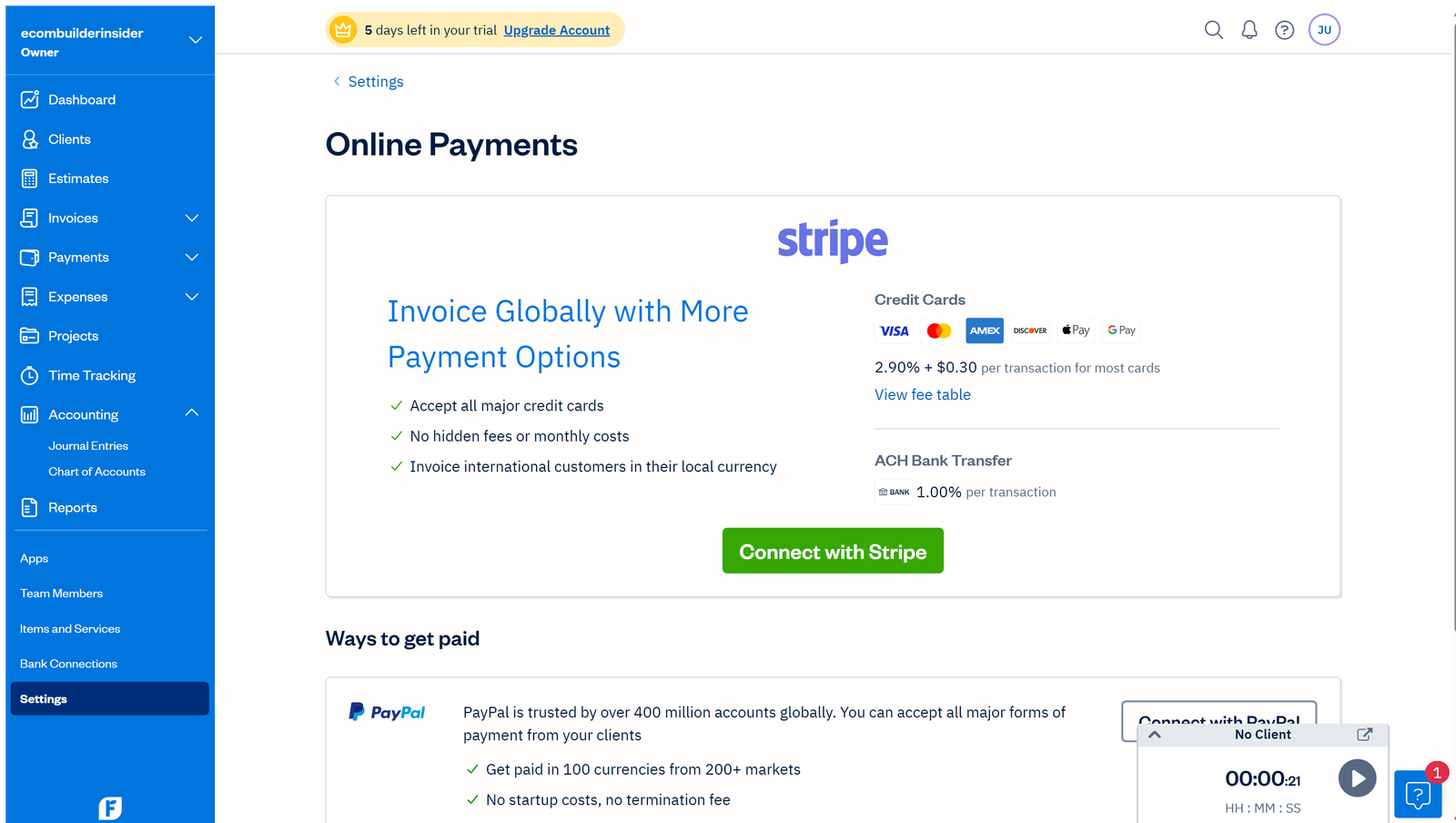
FreshBooks Payments enables seamless checkout via Visa, Mastercard, AMEX, and Apple Pay directly on invoices. Upfront deposits can also be requested before starting project milestones.
Advantages
- Superior invoicing aesthetics and client portal experience
- Native time tracking and project budgeting included
- Simple automated recurring billing and retainer workflows
- Award-winning responsive phone and email customer support
Limitations
- Client limits on Lite (5 clients) and Plus (50 clients) tiers
- Additional team member logins cost $11/user/month
- Not built for inventory-heavy manufacturing companies
Who Should Use FreshBooks
Ideal for: Freelancers, consultants, creative agencies, legal professionals, and digital service businesses where client billing and time tracking represent the core daily workflow.
Skip if: You run a retail store or warehouse that requires multi-location stock valuation (consider QuickBooks or Zoho Books).
Frequently Asked Questions
Is FreshBooks double-entry accounting software?
Yes. FreshBooks added comprehensive double-entry accounting features, including Trial Balance, General Ledger, Balance Sheet, and bank reconciliation.
Can clients pay invoices online through FreshBooks?
Yes. Clients can pay via credit card, debit card, ACH transfer, or PayPal directly from the invoice link.
Does FreshBooks track mileage?
Yes. The FreshBooks iOS and Android mobile apps feature automatic background mileage tracking for tax deductions.
